 5:42
U-Mix Control Pro Basic Softwear / Audio set up
Contents of the video
0:01 Another video on this piece of kit from a company called Mix Vibes
All right guys, another video on this piece of kit from a company called Mix Vibes. It's known as the Umix Control Pro. There it is. I'm going to try over a period of time to do as many videos on this as possible, keep them short, sweet, straight to the point. But the beauty about this guy here, I've had a chat with Mix Vibes and what they've told me is that once I've completed quite a few videos, I can give this away free, gratis and for nothing, for someone around the world. You don't have to do much at all, but yes, this could be yours. I will explain what you do have to do at the end of this video and all of the others that I do on this guy. Right, in this one, I'm going to explain how I managed to get a VAT PC program on the PC.
Before I do that, I want to show you my new friend. This is Mr. Wormy. Now, Mr. Wormy yesterday got in the way of a three-quarter inch hardwood dowel and a sledgehammer. Yes. And during the course of the small split second that that happened, and about half an hour afterwards, I was saying a couple of words not associated with the English dictionary. And if a nun or a vicar would have walked past, they would have been very embarrassed. So I did have to spend all day in the... South Wales Hospital, where they sort of pulled it apart and stitched it up and glued my nail back on. You think I'm joking? I'm not. Seriously. So it did hurt.
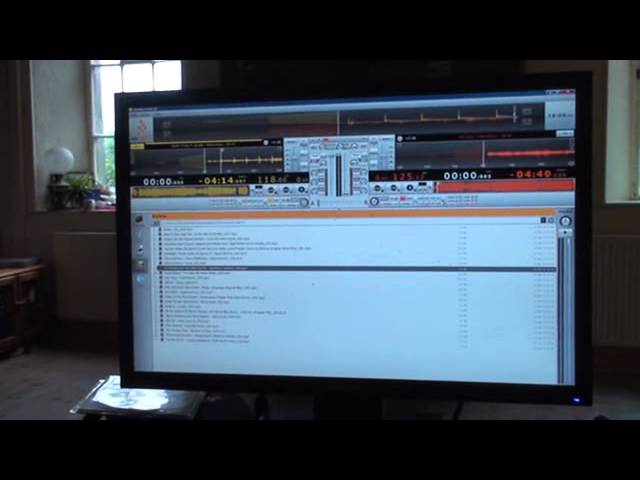
Right, so I am a cross DJ, and VAT is the software suitable for Mac or Windows. What did I do? Again, these videos hopefully will be very short, sweet, straight to the point. So, I put VAT in the PC. I followed the instructions. And that's near enough what I got. So, what I'm going to do is, I'm just going to go over, and I can't do my clicky finger anymore. I'm going to go up to File, top left-hand corner. I'm going to click on that. And scroll down to a word here called Preferences. In fact, what I'm going to do now, I'm just going to take the fisheye off the camera. So it may go blurred for a second, but I do apologise. I will unblur it. There it is. OK.
2:16 You'll probably need to do
So, this is the first thing you'll probably need to do to set up the audio preference. In other words, how you want the audio to come out. Do you want the audio to come out of your PC? Or do you want the audio to come out of the hardware itself? First of all, what you will need to do is, you'll see this box here. You'll need to set it. Make sure you're on the ASIO, which is MixVibes ASIO UMIX Control Pro. Set it to that. And then... You've got your buffer size, et cetera. So, I'm pretty sure that's based on how fast your PC is, et cetera. And again, with a lot of modern day PCs, they should be fast enough for any piece of hard-stroke software. Left input, I've got none. Right input, I've got none. And what I've done here, the output, I've set it to the hardware itself.
So, what I've done now, I've gone directly out of this guy into a set of powered speakers on the floor there. All right. So, a very... Hopefully... This is a very simple, straightforward video. And what I'm going to do now is just close that window off, like so. Close that. If we have a look now, if I move the slider up and down, we can see the slider moving up and down there. On this one as well, up and down, or down and up, if you're in Australia. And across... That's an old one, isn't it? Silly. And across for the cross... Cross! Fade. Very cross-fade. Oh, it's gone. There it is. And a cross-fade. Right. So, if I just press play, there.
3:53 Ruben Funk featuring John Turrell, Northern
Okay. That particular track was Dr. Ruben Funk featuring John Turrell, Northern... Was it? I think so. Anyway, never mind. Right. All right. So, a very simple video on this guy here. Now, as I said, what I'm going to try and do is make the videos straight, forward, short, sharp, and to the point. Now, the hardware itself can be used logically with the software. It is a MIDI controller as well, and what I like about this, you can plug in separate CD players or vinyl turntables as well. And again, if you want to do that, you have to go follow the procedure I showed you earlier on. Go to file, which is the top left-hand corner up there, and then you go to the audio preferences there. All right. Now, I did say that this unit will be given away free gratis and for nothing.
Very simple. All you have to do... Follow the link underneath this video. And subscribe to the Mix Vibes channel, and leave a comment underneath this video. It's very simple. That's all you've got to do. Very simple. End of story. All right? Once I finish doing the videos on this piece of kit, it could be in a couple of months, this item will be given away free gratis and for nothing to someone around the world. You don't have to enter a competition. You don't have to do anything. You don't have to be a certain... You don't have to age. You don't have to be in a certain place around the world. This will be given to someone somewhere around the world. All right? So that's all you've got to do. Another video here on Mix Vibes, also I will put in the description a hyperlink directly
To the Mix Vibes website. All right? So I hope that's been a help. There's more to come. Practice and enjoy. Thank you.
This transcript was produced automatically from the audio of the video and may contain mistakes.
Related videos
-
Complete Beginner DJ Lessons Tags Key BPM Etc
A more advanced lesson folded in early, and worth doing once rather than putting off, because everything it sets up gets used for years…
-
Complete Beginner DJ Mixing Lessons Video 19 Getting Your Kit Ready for an Easy Mix
A whole lesson on getting ready, which is the right call - the exercise in the next video only teaches anything if the two decks are…











