 7:48
Using an FX on a DJ mixer, FILTER.
Contents of the video
0:00 Another video for you regarding the effects on these guys here
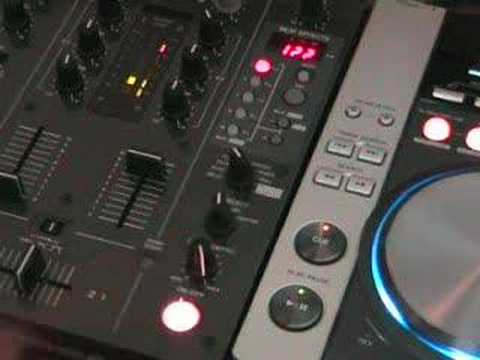
Alright folks, Jonathan here. Another video for you regarding the effects on these guys here. What we're looking at is the CDJ-200 and the DJM-400 mixer. Very quickly, a lot of people have been saying, yeah, can you do more videos on effects in the mix? Now, think about it logically. If you've got three effects on your CDJ and perhaps three or four on your mixer, you haven't necessarily got six, seven or eight effects. You've got thousands. If you, and I'd like you to do this, step back... Turn everything off and just have a look, and just think, because sometimes what you find with DJs is they're set in their ways, and when they use an effect they'll go straight to say the echo or the flanger and they'll be pressing it all over the place and think fantastic. But there is a lot more to these guys than meets the eye, because you can actually use say flanger just with mid, flanger just with bass, flanger just with top, echo just with mid,
Halfway, virtually full on or maybe a quarter of the way up. Just think about it logically. Now with this particular video what we're going to be looking at is something called the filter. What is the filter? I want you to imagine the full scale of music to make it more simpler and easier to understand. Imagine treble, mid and bass. Now in between treble, mid and bass you've actually got more frequencies. You've got low bass, you've got bass, mid bass, upper bass, then you've got low mid, Mid, high mid. Then you have low treble, treble and ultra-high treble. Now, the way to define ultra-high treble is small bullet speakers you see on speakers. Treble are like those big horn type speakers. Mid is maybe a driver that sort of big on a huge system. And then the bigger the speakers, the more frequencies they can actually make or the more frequencies they can push out until you get down to the huge ones where...
2:57 Exactly what those mean, we'll pause
Thanks for watching. Then it'll take the top and the middleweight, and you just end up with bass. So you get this sort of... Very dodgy sounding, but I hope you'll get what I mean. If I give you a demonstration, I can actually explain the sound while we're listening to the sound. So let's play the actual track. Now what we'll do now, press the filter. Let's put it on to 1 over 1. Down, up. Down, up. And down. So when it's up... It's taking away the bass, and when it's down, it's taking away the treble. Now then, we'll pause that. Now on this particular mixer, we've got half 3 quarters, 1 over 1, 2 over 1 and 4 over 1. I'll show you exactly what those mean, we'll pause the camera and we'll have a look. Right, on this particular mixer we've got 1 over 2, 3 over 4, 1 over 1, 2 over 1 and 4 over 1. What they basically mean is that utilising the effects, we can actually get the effects.
To be in beat with the music. What I'm going to do, I'm going to press play. We're going to have the effect working and in this case we're using the filter. And we're going to count but more importantly we're going to actually listen to the effect while we're counting. So we'll press start or play and then on beat I'm going to hit this button here and as soon as that's flashing the effect will start. 1, 2, 3, 4. 1, 2, 3, 4. 1, 2, 3, 4. 1, 2, 3, 4. Now if you listen, it's going... In other words, what's happening, every beat, the actual frequency is going high and low. Like so. Now let's press it so it's one over one. 1, 2, 3, 4. 1, 2, 3, 4. 1, 2, 3, 4. Listen, high and low. High and low. High, low, low.
5:19 Thanks for watching, practice and enjoy
High and low. Now we're going to press 2 over 1 in beat and down. Now we're going to press 4 over 1. Slowly up and up, going down again. Now bearing that in mind, we can actually use that in the beat, in the mix, to our advantage. What I'll do now, I'm going to pause the camera again and we'll do a bit of a mix and I'm going to utilise these buttons while I'm utilising the filter effect. So hold tight. Alright folks, just remember any of the information regarding the tracks, just look to the side of the video. Off we go. Another idea for you, now bearing in mind what I was doing, I was making sure that when I used the effect, I used it in beat, not only was I just using the filter anywhere, I was trying to use the advantage of setting it so it was in beat either, you know, 1-1-1 or 1-2-1-2 or 1-2-3-4 or as follows, 1-
Another idea for you with regards to effects. Thanks for watching, practice and enjoy.
This transcript was produced automatically from the audio of the video and may contain mistakes.










