 1:42
Virtual DJ How to Bring a New Track in to a Play List
Contents of the video
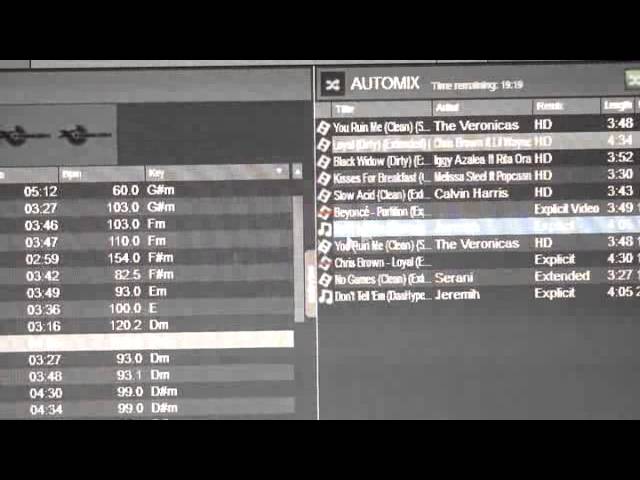
Alright ladies and gentlemen, short video here, for obvious reasons I'm not going to be playing the music. We've got VirtualDJ 8, we're looking at the playlist right hand side. Ok so I've dragged a few tracks in there, we can see as well that it does give us the remaining time, so you know exactly how long your playlist will go for. You can also set this if you want to do auto mix, but this video isn't about that, sorry beg your pardon. What this video is about is very simple, let's imagine now, well here we have 1, 2, 3, 4, 5, 6 tracks. Now let's imagine that we wanted to play something before the Beyonce track, so of course if you drag the track over and just throw it over, it will end where you've put it.
In other words, we've got a gap there, so if I just drag another track over where the gap is, it will just carry on, all the tracks will carry on going below the last one. But I want to bring a track in, in between Slow, Acid and Beyonce, so what I need to do is drag that track over. Now I don't know if you can see but there's a red line that appears while I've still got my mouse on the left hand side, I've clicked that over. What I need to do is make sure that red line is above or below the track I want it to go, or be in between should I say. I wanted it just before Beyonce, so let go.
And that track is now in between Slow, Acid and the Beyonce track, all right. So that's how you drag a track in between the other ones in your playlist. Virtual DJ 8, that's the program, practice and enjoy, thank you very much.
This transcript was produced automatically from the audio of the video and may contain mistakes.











