 4:57
What does the Curve do on a DJ mixer/cross fade , x fade?
Contents of the video
0:00 Happens when we have it set
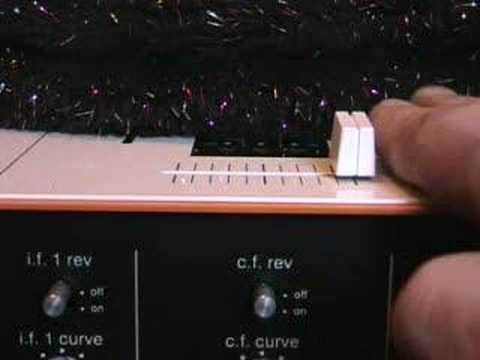
Alright folks, in this video what we're going to be doing is looking at the curve control on a crossfade. Now then, just about here you can see max, M-A-X, which is short for maximum. Here, M-I-N, which is short for minimum. At the moment now, the actual dial here is set to maximum. Now I'm just going to show you what happens when we have it set to maximum. We're going to have the crossfade Directly on the right hand side, the tracks I'm going to be playing is Revival 3000 The Mighty High on Hi-Life Records. We'll start the record up and we'll do it again. Now, I don't know if you noticed that, I'll turn the record off, but when the crossfade was on the right hand side, you heard the right hand side coming through. And then as we moved the crossfade over, almost to when we just about got to the other side, as far as it could go, it was only at that point that the actual volume stopped.
1:40 This is a slow decrease in the volume
It was at that point the volume finished, but also it stopped quite suddenly. Now we're just going to do the other side. There. And again. And there. A bit more and it's straight over the other side. Now then, very quickly what I'm going to do now, I'm going to set the curve to minimum. Now what we'll do is start the right hand turntable up, we'll have the crossfade on the right hand side. And again. This is a slow decrease in the volume. Now we'll do the same with the other side. We will play the left hand side turntable, have the crossfade on the left hand side then slowly move the crossfade to the right hand side. Do it again. Okay now then, the reason for this is simply this. What you find is a lot of nightclub DJs etc will always like to have the crossfade or the curve set to minimum. Simply because when you're doing a smooth mix
2:42 Likewise, the other applies
What you don't want is you don't want the volume to stay at a constant while you're moving the crossfade and all of a sudden just cut out straight away. It's nice to have a very smooth blend so if you've got a record playing on the right hand side and you've got one mixing in on the left hand side or you've got one that you want to mix in on the left hand side, you will want a slow progression from the one track so when the crossfades in at the middle you have 50-50 of either song. And then as you slowly take the crossfade over, the one song, the volume will disappear and the other one will come in a hundred percent. Likewise, the other applies. When you have a record playing on the left-hand side and you want to slowly mix in the record that's on, or the CD etc., on the right hand side, you will move the crossfade slowly from right, sorry, from left to right, and as it goes over to the right hand side, the left-hand turntable volume will decrease
And the right hand volume turntable will increase. Now that is what the club DJs like, a nice smooth glide from one side to the other. That is why you've got this small picture here because you have a line and a slow smooth glide down as opposed to here where you have a line and a sharp sharp line just almost pointing straight down to the ground. Now this is ideal for turntablists simply because what they like to do, quite a lot of turntablists, is do a lot of cutting and transforming. Now I'll show you how we can do that. I'll now set the curve to the maximum. Okay? And play the left hand record. Now if you do that fast you can almost edit the track and almost start to cut it.
That feature is ideal for turntablists who demand quick movements and very, very punctual sound coming in, going out within one millisecond as opposed to a slow increase and a slow decrease. I hope that's been a help and this is possibly one of the first videos in a selection of videos we're going to be doing on the curve aspects etc. on an actual DJ mixer and in this video we looked at the curve feature on the crossfade. Thank you. Practice and enjoy folks, take it easy.
This transcript was produced automatically from the audio of the video and may contain mistakes.











