 20:16
WHY USE + OR - 6% ONLY FOR GOOD MIXING And some CDPOOL Club New Tunes March 2017
Contents of the video
0:00 Some more new releases here from CDPool
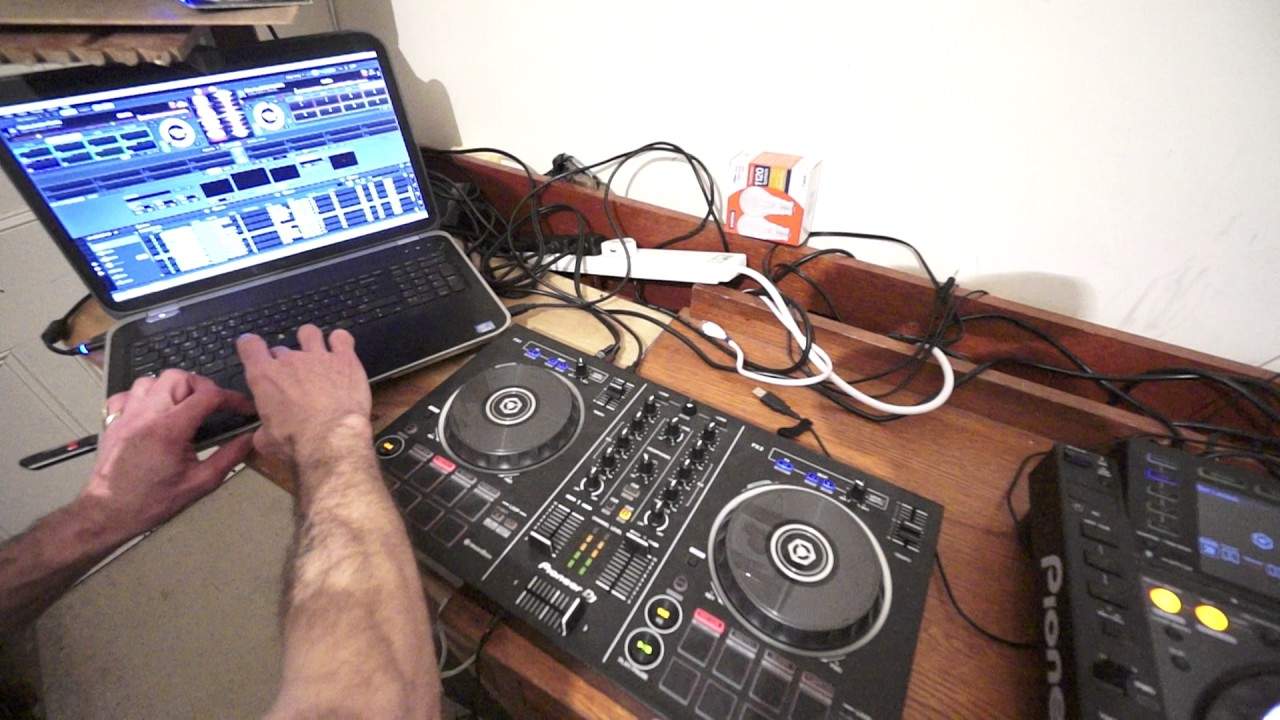
Alright guys, some more new releases here from CDPool. In this video we're looking at March 2017, the club releases. I'm using the Pioneer DDJ-RB in conjunction with the rekordbox software. The Pioneer DDJ-RB is bus powered. That means that it does not need an external power supply. But if you're going to use the RB at a gig, of course you've got to have your laptop. Make sure your laptop is plugged in as well. Not just fully charged, make sure it's plugged in. The last thing you want to happen is halfway through your set, your laptop says it's got 10% of power left. Okay, we're listening to Should've Been Me, Naughty Boy. Now, this track is taken from the club releases March 2017. Check out the link in the description. So let's try something else. Tell you what, we'll go here to Sock Money.
Okay, we're going to load that up on the right hand side. Bit of an effect going on there. Okay, so this one here like I said is Sock Money, the original mix. Right, I tell you what, let's have a look at some of these features on the rekordbox software. At the moment, I've got it set to hot cues, so of course I can have a hot cue which I've already done, put another one here. Again, hot cues are great if you want to set points during the track And you want to maybe slip back to that point during the mix. So if I go forward now to pretty much to the end of the song, we're on the software now, I've just skipped through to the end of the track, press the hot cue and now I'm pretty much back where I am back to where I set the hot cue originally. Okay, so let's go to something like beat jump. Beat jump is a really good feature. What this will allow you to do is skip forward one beat or skip back one beat, forward two,
3:25 Let's have a listen and see what that sounds like
Back 2, forward 4, 1 bar, back 1 bar, forward 8, 2 bars, well back 2 bars. And that of course is using the pads. So there is 1, 2, 3, 4, 5, 6, 7, 8 pads and we have 8 icons. 2 for 1 forward, 1 back, 2 for 2, 2 back. Two for four, forward, four back, and two of course for eight forward and eight back. So let's have a listen and see what that sounds like. Let's go forward one beat, back one beat. Okay, let's go forward two, back two. I'm just going back really, it's going forward two, I'm going back. Alright, let's go back four, one bar. What's great about this is so long as you press it in time, the track sounds as though it's pretty much in time. Let's go back eight.
4:24 I'm, believe it or not, skipping back through the track
Now what I do like about this feature very much is, let's imagine you don't have much time left. So what I'm going to do, I'm going to skip now towards the end of the track. Two, three, four. Now I'm, believe it or not, skipping back through the track. Okay, so I've skipped through pretty much the latter part of the track. Let's load our next track. Okay, this one here is Places. Martin Slobeck. Better add a bit of bass there as well, wouldn't I? Okay, so what I'd like to do now is look at the pad effects. Now, the pad effects is selected on the RB and at the moment from top left down to bottom right I have slice loop, I can do quarter beat, half a beat, one beat. Just have a listen to Slice Loop, sorry, Slip Loop, beg your pardon. Below that then, which is bottom left, delay, and then filter, then reverb, and then V-brake. Again, this video is in HD so of course you can get full screen and you can get a better look at the software as well. What I'm going to do now, I'm going to highlight the word edit.
6:48 What I can do, if I press the arrow, I can change that effect
Now what I can do is I can edit those effects. I can change the effect if I want to and change the parameter of the effect, how much I want the effect to last. So at the moment on the delay I have it at a quarter and I can change that if I want to. Anything from 32 over 1, 16 over 1, 8 over 1, 4 over 1, 2 over 1, 1 down to 1, 16. So at the moment it's on a quarter, we'll get a half. Now if I go a little bit closer, it's on delay at the moment. What I can do, if I press the arrow, I can change that effect. So we don't just have to have that one pad bottom left on delay. I can do echo, spiral, reverb, trance, filter, flanger, phaser, robot, slip roll, roll, reverse roll. Up echo, empty delay, down echo, reverb delay, pan crush, space, sausages, hot dogs and marshmallows. Just kidding about the delay. Okay, so we're going to go to crush. So now I have set that to crush. I now need to go back to the icon with edit and press that again. Now we have crush effect. Okay, so DDJ-RB.
One of Pioneer's, at the moment, entry-level controllers, but it has possibly the best effect of all time, which is of course the filter. Okay, let's plug another tune on and see what we got here. Who doesn't like Windows 8? I don't like it. Okay, Miss You, this is N-V-O-Y Club 8. Okay, that sound tells me it needs a filter. Now again, with pretty much every single controller we have this dreaded button Call the sync button. Now of course that's great if you don't want to learn how to beatmatch naturally using your ears. You want to grab yourself a controller like this and just straight away get into getting some perfect mixes. Well that's all well and good if you use the sync, but my advice as someone who's been DJing for quite a while, try not to use the sync.
10:15 Get Down, Lexa Hill
From day one. If you start using it at day one, then it's going to be more difficult to not use it. So, you know, it's like lifting heavy weights to begin with but of course you don't want to strain yourself, do you? Okay, this one here, Miss You. Get Down, Lexa Hill. Now a lot of people have said that controllers like this are not any good for big gigs. Well... I would say that's down to the individual. It depends really on how you feel. Now, the RB is definitely an entry-level controller, but used correctly with the proper software, it is all singing and dancing. Let's try one more. Okay. Fried chicken or crazy? Which one? Okay, we'll do fried chicken. See? You see, I'm listening to you. Okay, cue it up. Okay, a lot faster. Okay, Fried Chicken, the extended mix. Alright, the only part of the RB I personally don't like, alright? I don't like it at all, but then this is just me really, is the pitches are really small, okay? Which could be an issue for some people, but then again, so long as you set
The pitch correctly on the software, you won't have an issue. Now this is really important, alright? Guys, trust me, this is so important. Alright, like with all software, you can set the pitch to go plus or minus 6%, 10%, 16%, 50% and 100%. So what does that mean? Right, let's imagine you have a track that is 100 BPM. In other words, for every single minute you will hear 100 beats. So it's going to be quite slow. If you set your pitch to 6%, you will increase the speed by 6% if you bring the pitch all the way towards you. You'll then also decrease it by 6% if you move it all the way as far as it will go away from you. So what does that mean in terms of 100 BPM? If you move it away from you, it will go to 94 BPM. If you bring it all the way towards you, it'll go to 106 BPM. Now if you think about it, if you've got a very small pitch, that means that at plus or minus 6, you will have a lot of control on the speed of that track.
15:03 Towards you, it will go to 110 BPM
Sorry, when it's at the centre and it's at 100 BPM, if you move it all the way away from you, you reduce the speed, it will go to 90 BPM. Towards you, it will go to 110 BPM. Now that's fine. You will still be able to get a good mix. But when you start getting to say 16 or 50 or 100, then the trouble will start because if you try and mix at 100%, You are not only, it's going to be an absolute nightmare, but if you move the pitch all the way from you to the back, in other words, you're reducing the speed, the track will stop because no longer will it be 100 BPM. It would have stopped. If you bring it all the way towards you, it will not be 100 BPM. Excuse me. It's going to be 200 BPM. So it's going to be hyper fast. Now one good feature of using what's known as the wide
16:46 This is Ravebox and Deathlicks
Feature is you can pretty much use some makes it get some really wacky effects so from 100 bpm to 200 you know it's going to sound very very fast but you can get some great effects now i have Manically fast. Okay, so there you go. Fried chicken. Let's have another one. Jacked up. This is Ravebox and Deathlicks. Cue it up. Jacked up the original mix. Last point here. Controller is facing that way. Have you noticed my laptop is to the left of the controller? The worst thing in the world you can do. The worst thing in the world is have your controller facing you, right in front of you. Why? Now let me explain something. Let me just move the camera a little bit. Hold on. Right. My God, I can see my ugly mug now. Alright, why don't you want the controller that direction? Now if you get used to using your controller... Sorry. If you get used to using your laptop right in front of your controller...
Then you're just going to be looking at that all the time. You're going to be gawping at a screen, these wiggly lines going to and from all over the laptop. That is a bad thing to do because what it means when eventually you go and work out there in front of people and the public, you're going to be more interested in looking at your laptop than looking at them. The laptop isn't going to go away. It's still going to be there. The software is still going to be there. It's not going to move, nothing. Everything's going to stay the same. You need to make sure you pay attention with the crowd. Make sure there's a communication between you and the crowd, not the laptop. So that's why I always try and make sure my laptop is there.
A knot in front of the controller. Alright, I want to talk to you. I want to see you. I don't want to look at a laptop all the time. I didn't say that word, I said a frigging laptop all the time. So there you go. Alright, we'll finish off with this track here, Jacked Up. It's the original mix. Don't forget as I said... Check out the information in the description. I'll put a bit of info on the RB and also the CDPort new releases. This is March 2017, the club releases and I'll finish off with practice and enjoy. Let's get some filter on this.
This transcript was produced automatically from the audio of the video and may contain mistakes.










