 2:42
Downloading the driver, and why you need it
On YouTube this video is called Complete Beginner DJ Lessons How to Download the Driver and WHY You Need It
What this lesson teaches
Short and worth following exactly, because two of the three points are about not creating problems for yourself.
Why the driver matters
The driver is the piece of software that lets the computer understand your particular controller. Without it you can have the best hardware and the best laptop and find that most of the controls do nothing, or that the unit is not recognised at all.
It is the first thing to install, before you plug anything in.
Checking you have one
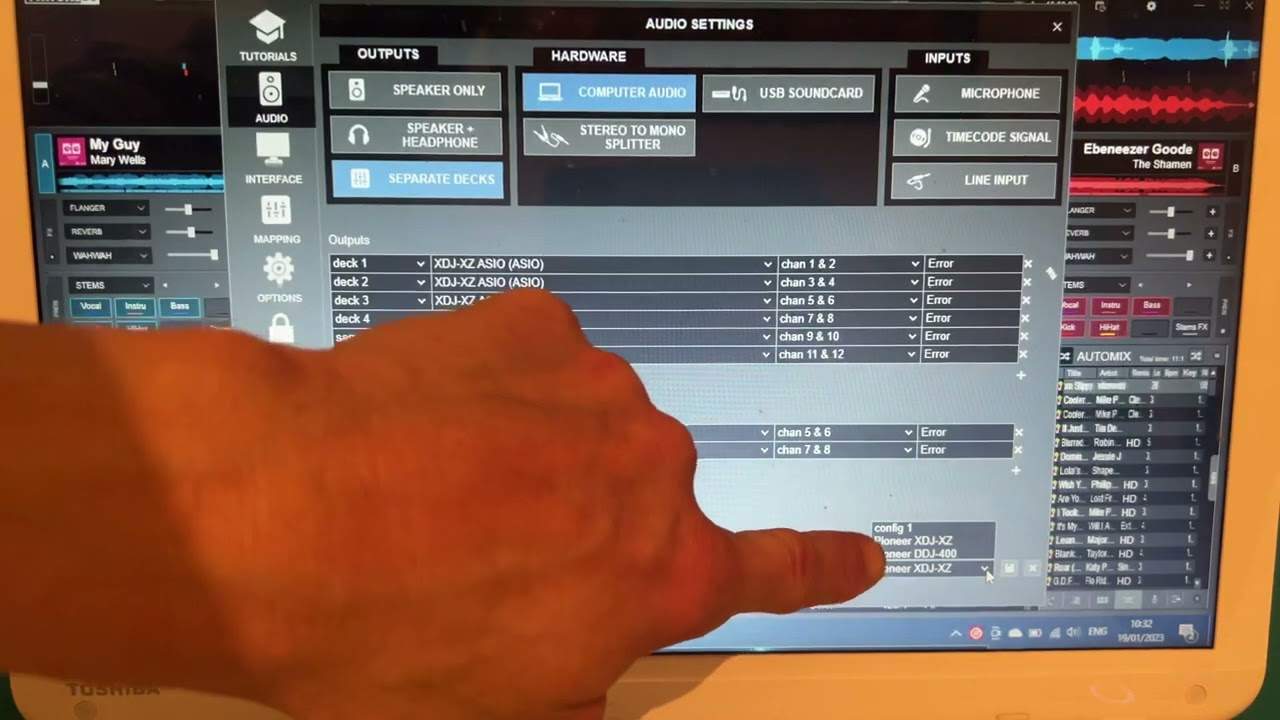
In VirtualDJ: the cog at the top right, then audio, then the panel at the bottom right, which lists the drivers the software can see. He finds a DDJ-400 and an XDJ-XZ in his, which tells him both controllers will work.
The general version applies to any program: there is a settings cog, usually top right or top left, and behind it is where the software tells you what hardware it has found. If your controller is not in that list, nothing else you try will help.
The part that is actually important
His closing instruction is the one to take seriously: download drivers only from the manufacturer's own website. Pioneer from pioneerdj.com, Denon from Denon, and so on. Never from a third-party download site.
The reason is worth spelling out, because he leaves it implicit. A driver is an executable that you run with full permission to install itself on your machine, and people hunting for one are usually frustrated and clicking quickly. That combination has made driver downloads a reliable way to distribute malware for twenty years - and the sites that rank well for "download DDJ driver" are not always the manufacturer.
Go to the maker's own domain, type it yourself, and get it from there.
Contents of the video
Right guys, video number five for the complete and utter beginner. And just to clarify, yes, I'm recording the laptop directly from a camera using VirtualDJ, but it's the general kind of video. So whatever I talk about in this selection of videos will pretty much cover any PC program you're using. So in this video, firstly I want to talk about the driver. It's really important that you download or have the driver on your device so you can indeed use your controller. You can have the best controller in the world, the best laptop, if you don't have the driver, it's very possible that you will not be able to use all of the functions, if any, on your laptop. So one way of knowing if you have indeed a download the driver.
Using VirtualDJ is go to the cog on the top right hand side, click that, make sure you've highlighted audio and then bottom right we have an area here. And if you click that, you can see that at the moment I have the DDJ-400 driver and the XDJ-XZ driver. So I know now that I'm able to use my controllers with this software. So hopefully that is a help. Again, I'm just going to close that off, but very quickly on practically every single software you will have top right, sometimes top left, a small cog. And when you press that, that will take you basically into the internal workings of the software. A lot more here to do slightly high end. And when I say not suitable for a beginner, but if you basically in other words, if you've all of a sudden,
You've opened the box, you've got your brand new controller, you have a laptop, you can theoretically just start playing music within minutes. Connect your USB, but just make sure you download the driver. I'm going to finish this video off with very something very important and that is try not to go to any third parties to download the driver for the program you want on the controller you want, should I say? If you have a USB drive. If you have a Denon controller, go to the designated Denon site or Pioneer. Go to pioneerdj.com. Do not download from third parties just in case you download something that you don't want to have on your laptop. Okay? Hope that's a help. Video number five. Practice and enjoy. Thank you.
This transcript was produced automatically from the audio of the video and may contain mistakes.
This video is part of
Related videos
-
Complete Beginner DJ Lessons Tags Key BPM Etc
A more advanced lesson folded in early, and worth doing once rather than putting off, because everything it sets up gets used for years…
-
Complete Beginner DJ Mixing Lessons Video 19 Getting Your Kit Ready for an Easy Mix
A whole lesson on getting ready, which is the right call - the exercise in the next video only teaches anything if the two decks are…











