 2:14
Loading a track to play on your controller
On YouTube this video is called Complete Beginner DJ Lessons How to Load a Track to Play on Your DJ Controller
What this lesson teaches
A brief lesson with two methods in it.
With the mouse
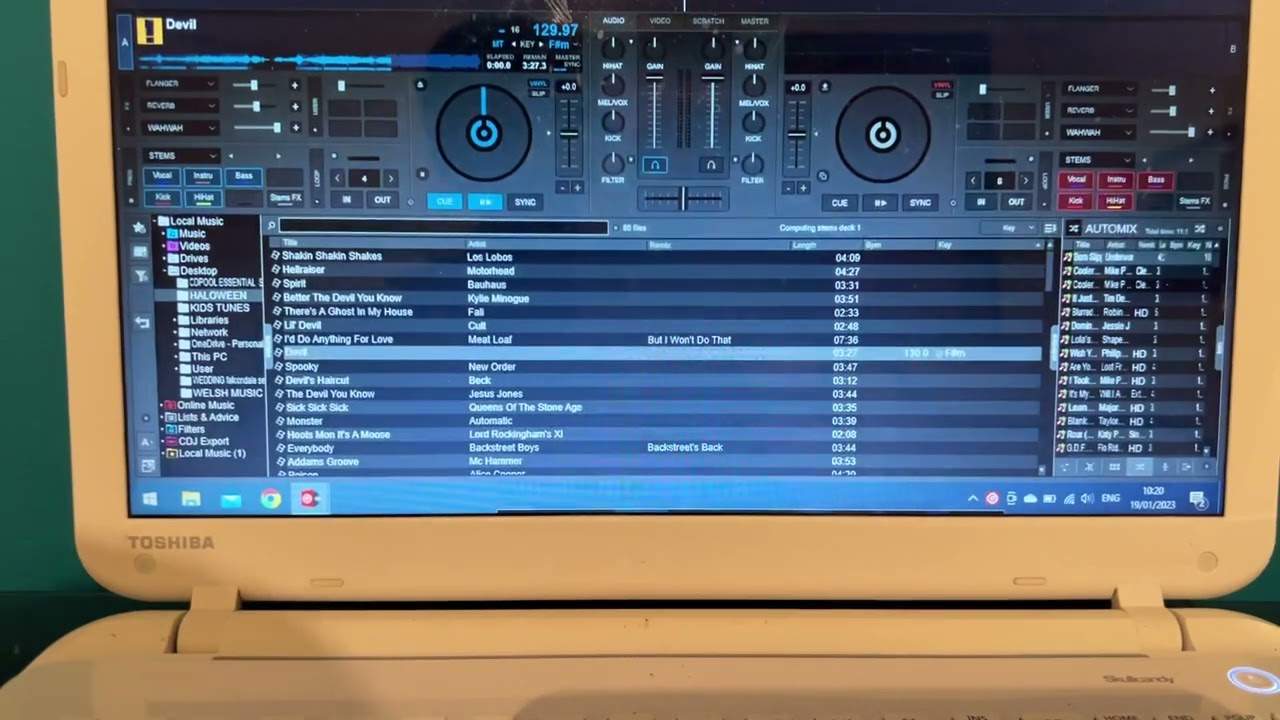
Highlight a track in the list, hold the left button, drag it across onto one of the decks, and let go. The deck highlights as you hover over it so you can see where it will land.
Fine, and it is how most people start.
With the controller
The better way, and the one every controller supports. There is a browse dial, usually top centre. Turn it to move through your tracks, and then either press it down or use the load buttons either side - left button loads to the left deck, right to the right.
Why the dial wins
It is worth being deliberate about building this habit early, because the difference only shows up when you are busy.
A mouse or trackpad needs your eyes and gives you one pointer doing one thing. Mid-set you are finding the next track while the current one plays, often with one hand, while watching the room rather than the screen. A dial you can locate by feel, with a push to confirm, is designed for exactly that.
There is also the matter of where the laptop should be. The advice elsewhere in the curriculum is to put it off to the side so you can see the floor - which only works if you are not reaching for it constantly.
Contents of the video
Video number three for the complete and utter beginner. And again, a small disclaimer, I'm using VirtualDJ software, but whatever I talk about in this selection of videos will cover practically 99% of all other DJ softwares. So in this video, I'm going to demonstrate how we can load a track. We can do it in many ways. Again, I don't have a controller plugged in, so I'll give you an idea. So what I'm going to do is in video two, I showed you how we could take the tracks from the left hand side and put them center view so we can select our tracks. Now one way again is using your mouse so you can highlight over a track. What I'm going to do now is left click and while my finger is left clicked, I'm going to drag that file onto one of the sides.
There you go. Okay, so I am using VirtualDJ, the actual video software. That's why you had that icon turn up. You shouldn't have the icon if you've got basic files. So there you go. The other way of doing this, of course, which is a lot easier on most DJ controllers, what you will have is you'll have a small dial. Now the dials are normally at the center of the controller at the top and you can select your track. Sometimes you can click down Sometimes there will be a small button with an arrow for right or left. So, of course, if you press the left button, the track will load on the left. If you press the right button, the track will load on the right. And that's my cat scratching a record box. So there you go. Quick video just to clarify now and show you if I want to load another track, I can just move the mouse or my finger on the mouse pad, drag the track over. You can see me dragging it over.
And while I'm dragging over, while the box there is highlighted over the right hand side, I let go. Take my finger off left click and there you go. There's the next track. Hope that's a help video number three practice and enjoy. Thank you.
This transcript was produced automatically from the audio of the video and may contain mistakes.
This video is part of
Related videos
-
Complete Beginner DJ Lessons Tags Key BPM Etc
A more advanced lesson folded in early, and worth doing once rather than putting off, because everything it sets up gets used for years…
-
Complete Beginner DJ Mixing Lessons Video 19 Getting Your Kit Ready for an Easy Mix
A whole lesson on getting ready, which is the right call - the exercise in the next video only teaches anything if the two decks are…











