 2:43
The jog wheel - what it is used for
On YouTube this video is called Complete Beginner DJ Lessons Video 8 a Look at the Jog Wheel and What It's Used for and How to Use
What this lesson teaches
The circle on a controller is not one control. It is two, and a button switches between them.
Vinyl mode
In vinyl mode, the platter behaves like a record.
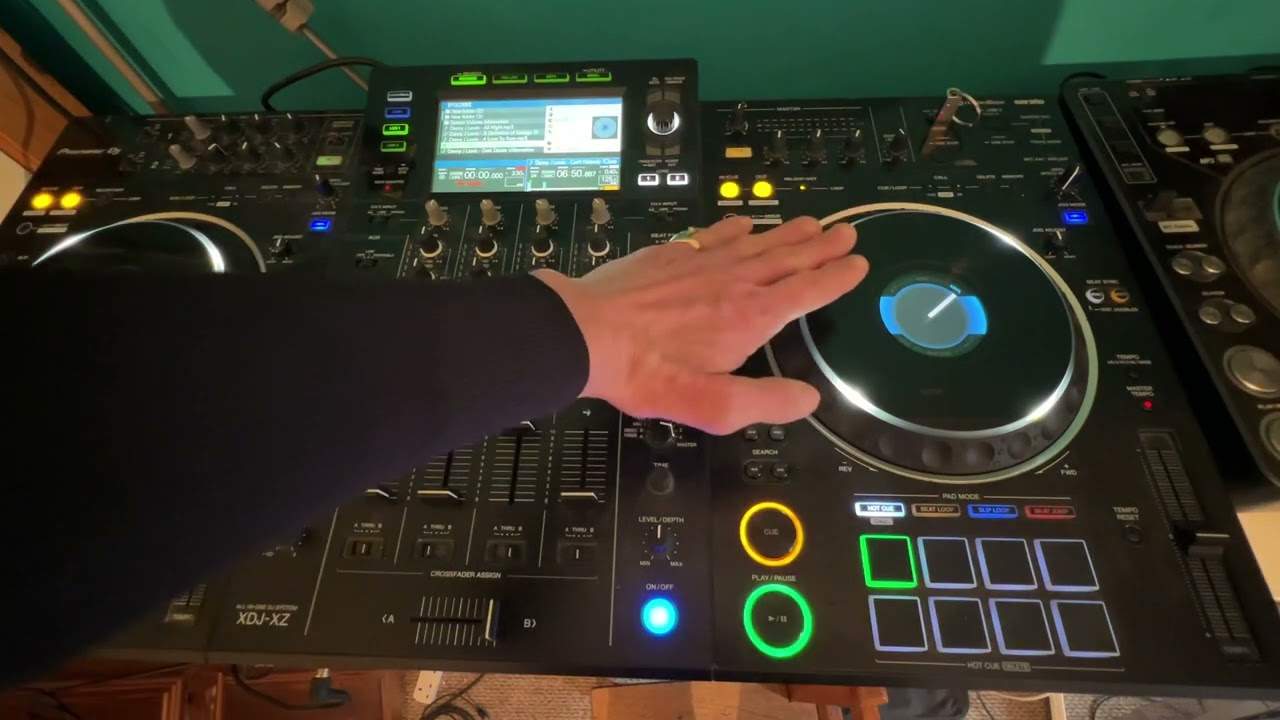
Press down on the top and the track stops, even though the mechanism underneath keeps turning - exactly as a hand flat on a record stops the music while the platter spins beneath it. Lift your hand and it plays again.
The edge is separate. Nudging the side clockwise speeds the track up for as long as you are pushing; anticlockwise slows it. His analogy is a good one: a tap on the accelerator for a second makes the car briefly faster, and then it returns to what it was doing.
So in vinyl mode the top and the side do different things, which is precisely how a turntable works.
CDJ mode
Switch to CDJ mode and the whole platter becomes the nudge control. Touch it anywhere, clockwise for faster, anticlockwise for slower.
Pressing down on the top does nothing.
Which to use
Vinyl mode if you want to stop the track with your hand, scratch, or do anything where the surface has to respond like a record.
CDJ mode if you want to be able to rest a hand on the platter, or lean on it, without stopping the music - which in a crowded booth is a real consideration.
The mistake to avoid is not knowing which you are in. Reaching for a nudge in vinyl mode and landing on the top stops the record in front of everybody, and it is a mistake almost every DJ makes once.
Contents of the video
Alright guys, another video for the complete and utter beginners. In this video we're going to look at the jog wheel and what it does and how to use it. So I'm going to press play, just going to form a loop.
Okay, so I'm going to give you a demonstration first, then after that explain what was going on. Okay, so basically what I did there, you can pretty much do with any controller that's on the market at the moment. Okay, so first of all I was in vinyl mode. Now that makes the turntable exactly like a vinyl turntable. So if you go back old school style and you saw someone or yourself, you put the needle on the record, you press play and you put your hand on the top of the vinyl. Even with the turntable underneath moving, if you have enough pressure on the vinyl, of course it's not going to play. Because you've physically stopped the vinyl. But as soon as you let your hand off, it will indeed play. Now also with a vinyl turntable, what you can do is around the side, you can sort of nudge it forward.
You can just make it go a little bit faster. So for example, if you're in a car, you've got your foot on the gas and you just tap down a little bit. You're of course going to slightly increase speed for the duration that you've got your foot on the gas.
Alternatively, if you do anti-clockwise on the outside, you're going to slow the track down. So with a vinyl turntable, you'd put your finger on the side of the platter, almost like a brake and slow it down. Now in vinyl mode, you can touch the top and stop the track. In vinyl mode, you can indeed speed the track up very slightly while you're jogging it clockwise, slow it down anti-clockwise. In vinyl mode. But then when you go to CDJ mode, now the complete turntable itself becomes a jog mechanism. So you can touch anywhere, move it clockwise and speed it up. You can touch it anywhere, move it anti-clockwise and you will indeed slow the track down. There you go. Thanks for watching. Practice and enjoy.
This transcript was produced automatically from the audio of the video and may contain mistakes.
This video is part of
Related videos
-
Complete Beginner DJ Lessons Tags Key BPM Etc
A more advanced lesson folded in early, and worth doing once rather than putting off, because everything it sets up gets used for years…
-
Complete Beginner DJ Mixing Lessons Video 19 Getting Your Kit Ready for an Easy Mix
A whole lesson on getting ready, which is the right call - the exercise in the next video only teaches anything if the two decks are…











