 26:43
Beginner Beat Mixing Video with Pioneer DDJ-RB How to Get a DJ Booth PA as Well as the Main PA
Contents of the video
0:00 Tuning in the background is called Loving You
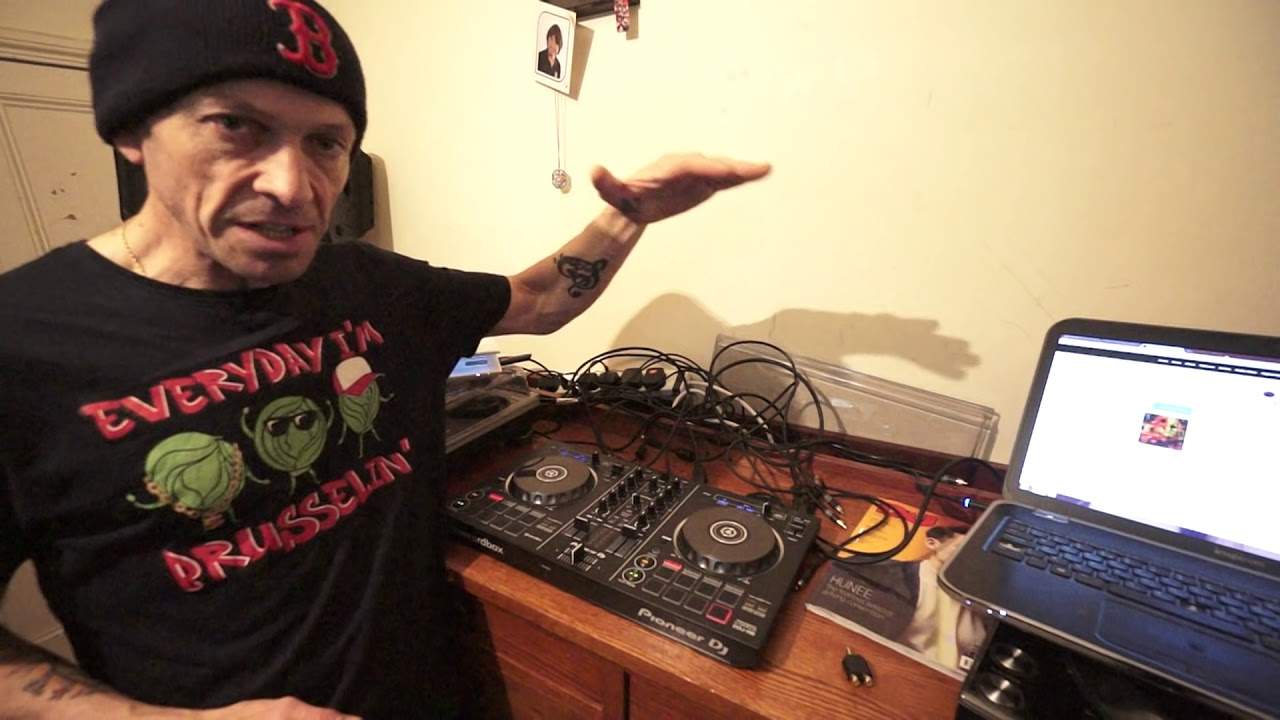
Alright, tuning in the background is called Loving You. It's from Karmic Power Records. In this video we're going to do a bit of a mix, a bit of a transition on the Pioneer DDJ-RB. At the moment it's one of their entry level controllers. So there will be information by the way in the description on the items I'm using and also the tune. Now very quickly, this is the RB. It's an entry level controller at the moment. It has one output. On the back you've also got a locking system, you've also got USB in and you've got input for a mic with a small tiny little control for your microphone volume. So it is very basic but let's imagine you have the RB and you're invited to a party and you want your own monitor system. Now that's going to be quite difficult because there's only one output. So from one output how do you then have your main out?
The DJ Tutor allows you to change the volume of your monitor system. Now, again this could be quite difficult for a new DJ to understand but with the RB you've only got one volume control so if you turn that volume up the output going into your speakers will of course increase the volume of that PA. Turn it down, it'll reduce that volume. So how are you able to let's say set the volume on your main PA and at the same time you're able to change the volume on a little monitor system that you've got? I will explain. Now first of all the input or the output should I say beg your pardon the output from the RB is RCA and you will need A set of RCA cables like that. Now, if you just bought the RB or you're about to buy one, then just make sure that you do have appropriate cables for your speaker system. A few people I've been teaching online have got a controller like this and they realised they had to buy some speakers. Now, you can use this controller and you can use it via just headphones but you're not getting the full potential.
2:18 Those, system main, cable
You need headphones and of course you need your little PA system, whether it be small monitors 50 watts a side or a huge monstrous turbo sound system. You need something. So how do you get the RB to give you a monitor system as well as a main PA? Let me show you. I don't want to go too close just in case it starts to blur but that there is a connector that's an adapter all right that side will go in to the rb and then if you look then i can now plug the rca into there and also like this is the same rca cable but let's imagine i have a separate rca cable i can plug the other one into the other side so imagine this this is the routing system this is how you would route everything You would actually have to get two of these. Two of those are quite important. One on one input, the other one on the other. Then you would get two lots of RCA. Now again it depends on the other side of the system. So for example you may find that you're going to have to get a cable with an RCA on one side that will go in here.
And then on the other side, it could be a jack or it could be an XLR. Of course, that is depending on what the input is of your speaker system. So that would be one. That would be like your main PA. From two of those, two cables, one in each one of these, then those cables running to your PA system. Now that leaves you the other side. Guess what you can do then? You can then plug those into another little speaker system. Alright, very simple. So you could have your little monitor system and then turn those up. Now the difference, this is the big difference between the likes of the RB that does not have a booth out and let's say for example some of the higher end mixers or of course some of the let's say more expensive controllers.
4:43 The controllers and mixers will have a separate volume control for boo
The controllers and mixers will have a separate volume control for booth out. So while you can set the master volume for the main PA to whatever you want, you can then on the same controller or mixer set your volume on the mixer by turning up or down the booth control. You can't do that with the RB but there is a way around it. Now, the RB just has the one master level. So as you turn that up, of course, the PA system volume will increase. Turn it down, the PA system volume will decrease. Alright? So what I would be doing is I would be turning the PA system up for the people pretty much all the way up. Alright? So that would be pretty much full volume for their system. Then my little monitor system...
I would then use the volume controls on the speakers themselves to give me the correct level. Now that may seem a little bit confusing for some people, but it's based on pure logic. Because you see what you're doing then is you're having the master volume as it should be, main volume, for the public. And your little speaker system, once you've plugged everything in... All that volume is down, you've got the main volume up there and then when you're ready to play you're playing some music and then you will slowly turn your little speaker monitor system up to an audible level that's suitable for you and then you're good to go. Alright so for the beginner that may be like what on earth is he on about? For the intermediate you may be thinking I sort of get it.
For the advanced, you're probably thinking, why doesn't he shut the hell up and get on with the video? Okay. Right, so, the RB. Here we go. Now then, again, this is a demonstration and it's also a great way for you to learn how to mix. Now, there was something... This is so important. Please, I beg you, do not start using sync from the word go. It's the worst thing in the world you could do. Use your ears, alright? Because if eventually you become a great DJ and all you've done is use sync, when you go and play in a huge, massive stadium, you've got Ableton in front of you and someone says, right, have you got your tunes? Yeah, they're on the CDs or on your thumb drive. And you turn up and you go, ooh dear, there's no laptop. You plug it in, then you may not have sync. Okay, of course you will have sync if you've put your files through rekordbox, but on the other hand, they're just MP3s.
7:22 You're pretty much buggered
You're pretty much buggered. So always use your ears. All right, so in this demonstration we're going to be doing just that. We're going to be using our ears. Okay. Tune I've got is Loving You. It's by Hugo Drum and... Oh, hold on, where are you? It's not giving me... Oh, Hugo Drum and Neolia. I think I've pronounced that correctly. Do apologise if I haven't. From Karmic Power Records. There will be a link in the description down there to this tune. So what I'm going to do here now is I've got three versions of this track. So I am going to have one version on one side and another version on the other side. So one version on channel 1, another one on channel 2. So I'll do that right now and I'm going to use the dial at the top.
Of the RB in the center and it's above the master volume so I'm going to turn that and when the track is highlighted on the rekordbox program I'm now going to load the left-hand deck just gonna cue that and then I'm gonna scroll down one so that's the original on the left and then the club on the right hand side so let me just cue that up all right you can hear there there's no kick there's no bass beat But listen, one, two, three, four. One, two, three, four. We're good to go. Okay, there's no beat there. Have a listen. Listen. Okay, there. Now we had, let's have a count first. Let's listen to how many bars we had before the vocals came in. One, two, three, four. One, two, three, four. There, two. Now that is your typical radio version track.
9:46 Eight bars of a kick and a bassline
Very typical. Again, I think this video is going to cover a lot of subjects here. If you listen to a dance version of a track, generally it's over four and a half minutes, five, six, seven, sometimes nine minutes. It depends what sort of genre it is. On the other hand, a radio track is three and a half minutes and what you find is the phrasing in a radio song... is a lot smaller than in the club mix so for example here we've got two bars vocals come in the club mix you may have four no probably not four beg your pardon you have eight or sixteen sometimes even 32 bars before the vocals comes in so with the club mix you generally have elements added on as the track progresses at the beginning until eventually it gets to the vocals
So, for example, in the club mix you may have eight bars of just a beat, a kick. Then eight bars of a kick and a bassline. Then eight bars of kick, bassline and melody. And then eventually eight bars of kick, bassline, melody, vocals and toilet paper. Just kidding about the toilet paper. Actually that reminds me I must get some. So, right what I'm going to do now is I am going to... Look, this is really important. I'm going to close the laptop. Right, so now I cannot see anything on the laptop. Let's play the left side. Volume up. Right side. That is going to be my metronome. I'm going to use the right hand side for my timing. So I want to try and beatmatch the left side with the right side. Now, you can, if you want to, do something like this by using the same track, both sides. Alternatively, you can use different tracks. What's, I suppose, in the middle? The easiest one is to use the same track. The more difficult is, of course, to use different tracks. But the one in the middle, like easy 1, hard 3, number 2...
12:15 I'm going to bring that up towards me
Is where you're using the same track but like a remix of it so for example if you buy an mp3 online you may see different mixes of that track so sometimes it's a good idea to get two or three different mixes of the same track because then you can end up doing your own remix of that track but we're not going to go there at the moment right so let's just jiggle and wriggle the pitches around now if you listen That there is the centre point. I'm going to bring that up towards me. Actually what I need to check, first of all, very important, is that I have the same percentage of BPM on both sides. And I've got them at plus and minus 6. Now that's important because you have to remember that if one is at plus or minus 10, the other is plus or minus 6.
You're going to get a different feel on the pitch. One of them is going to seem more responsive than the other. It's really important to be either plus or minus 6 or 10, especially if your pitches on your controller are quite small. The longer the pitch, the more control you have. The shorter the pitch, the less control you have. Almost impossible. So that is a very, very valid point in this video. Right, so again, I looked, so I'm just going to do that again, move them around. And at that position, let's sort of play them together and see how they sound. Here we go. So musically they work, but are they in time? Not at all. Completely off. Right, so what I'm going to do is I am going to play... Let's have a look. Again.
14:27 You end up feeling good inside
I'm dabbling here, alright? And this is the fun about DJing when you're in your bedroom by yourself. Just do what the hell you want, alright? If you're by yourself in your room, who gives a friggin' shit if you make a mistake, if it sounds bad, if it's all over the place? Who cares, alright? You shouldn't even care. You should be enjoying the mistakes. Practice and enjoy. That's what it's about because when you practice and you make mistakes... As I've said before, if you get angry about the mistakes, you end up being in this negative vibe which won't help you and it'll just get worse and worse. On the other hand, if you practice and you make mistakes and you go, well, I made a mistake there, who gives a monkey's? I don't give a shit. Let's just get on with it. You end up feeling good inside.
17:05 Let's close that up again and let's put the camera down there
By your action of feeling good about your mistakes, guess what? You will actually stop making those mistakes because you're telling yourself, well, it doesn't matter. It actually doesn't matter. Get on with it. Right, so... I'll give you a demonstration first and then I'll explain what I was doing. Let's bring the camera down a bit. Pretty close. Have a look now and see how close I am. A point and then two numbers, so after. Okay, so we are on there. Okay, we've got... Let's just get that so it's focused. 125.03, 125.08. Right, I don't think that's too bad. Alright, I'm pleased with that. Alright, I think anyone would be pleased with that. Let's just make sure it's up-focused. Yeah, you can just about see it. Okay, so let's close that up again and let's put the camera down there. Now, I don't know if you noticed as well but I wasn't using headphones. Okay, now there's many reasons for that but one is what I wanted to do. I wanted to hear all the sound, a big sound through the speakers. So for some people...
Not all, some people if you're using headphones and a speaker it gets a bit confusing. Alright now maybe for a beginner it might not be a good idea for you to follow what I'm doing there by just using the speaker but again if you want to get to a level of a top DJ cum producer you've got to try every single different way of experimentation to get To get to the stage where you can do anything. So in other words, you may turn up to a gig and you've forgotten your headphones. Doesn't matter. You turn up to a gig and the headphone plug is broken. Doesn't matter. You know, you need to be ready for anything. OK, so what was I doing? All right, so if we put the camera down there again, let's have a bit of a close-up. Now, firstly, what I did to begin with is I just used the cue. So why was I just pressing the cue? Well, if I pressed...
Play pause button, the track would carry on playing and there's nothing wrong with that but by just using the cue I'm able to snap right back to the beginning of the track straight away instead of having to go through the motions of stop and then looking maybe at the screen or queuing up again or trying to look at the screen or finding where I should be because the cue point is now not going to change. On the laptop, so if I just press Q, I will inevitably go back to that cue point. Now also what I'm doing is I'm counting, so for example from the beginning of the other side, one two three four, one two three four, one two. Now all the time what I'm doing as well is I am pressing the Q on the 1.
19:28 This is very important, especially for a beginner
This is very important, especially for a beginner. You need to start your mix on the one. One, two, three, four. One, two, three, four. Prior to all of this, of course, I made sure that both tracks were cued up on the one anyway. Now, secondly, and this is the most important part, I was listening to make sure the two tracks were in beat. Here we go. Can you hear that? Now, if we were to look at someone playing the drums, that would be the snare sound. One, two. So, one, two, three, four. One, two. Let's have a listen to the other side. Listen. Four, two, four. Two, three, four. Let's move these around again, so they're completely different again. We'll put that one a lot slower, this one a lot faster. Press play. Completely off. Speed it up a bit. That one's too fast. What's happening there is the two tracks, the actual percussion, one of them, which is the right hand side.
21:40 Greater distance
It's going a little bit too fast, you know, two vehicles moving at 30 mile an hour each and all of a sudden the one on the right is not going 30 mile an hour, it's actually going 32 or 33. So it's going to take, it's going to move faster and also it's going to cover a greater distance. So let's just put the pitch down a fraction. Now again, small pitch, alright, small moves. Bigger pitch, you can of course do larger moves but still... It's about being careful.
24:25 Let's put The right hand side, back to the beginning, there
Okay, laptop is still closed. Pretty close again. If anything, this does prove that you can mix happily on a controller like this without having to use sync or any kind of wizardry. Alright, so I haven't opened the laptop yet. Let's have a look together. Open it up. Okay, so bring the volume down. Right, I've got there 124. So that's, again, that's very close. Now, even though they are not exactly synced, if I was to do, and I'll prove this now, if I was, let's just pause that and pause that one. If I was to do, let's say, I don't know, four or eight bar transition, that would be fine. No one's going to hear it going off beat and I'll prove that now. All right, so let's just put... The camera back on. Now again, this will prove to you that two tracks do not have to be absolutely bang on the money in time. Now they do if you want to do a long transition of let's say, I don't know, something like a 64 or 32 bar mix. But you know, a four or an eight bar being this off doesn't really matter. So let's put
The right hand side, back to the beginning, there. And let's play the left hand side, we're coming towards the end of the left anyway. Proved a point, okay? Alright now, if you would like more information on learning how to beatmatch, whether you've got a controller like this or a high-end piece of kit, then get in touch because I'm still giving the private... One-to-one tuition online and all you need is a webcam. We can either go through the medium of Facebook or we can go through Skype. Now, the lessons are strictly confidential, strictly private. I don't give any information away. You can just book the one lesson or alternatively if you want you can book five. And I teach... GMT time from 8 in the morning to 8 in the evening, weekdays and also some weekends as well. It doesn't matter what style of music you've got, whether it be house, hip-hop, R&B, soul, reggae, jazz, funk, indie or 20s. It doesn't matter. I'm sure I can help you out. Practice and enjoy. There will be info in the description. Thanks a lot.
This transcript was produced automatically from the audio of the video and may contain mistakes.








