 7:15
Beginner DJ Tutorial on How and WHY to Set the Pitch Percentage for a Good Clean Mix
Contents of the video
0:01 Screen, whether it be Serato, Traktor
Alright guys, I get this question quite a lot. What is the reason for the plus 10, the plus 6, the plus 16 or maybe you've got a plus 50, maybe you've got a plus 100. So on your computer software, if you look at the screen, whether it be Serato, Traktor, Rekordbox, any of them really, you should see a plus and a minus number close to the virtual turntable. Now, it's highly likely that's going to be one of these numbers. It could be either plus or minus 6, 8, 10, 50 or 100. Sometimes you don't have 100, you have what's known as wide. So what is that? What's it for? How should you use it and what you should do? Now, if you're a beginner DJ, I highly recommend you stick to a low number, whether it be 6, 4 or 8.
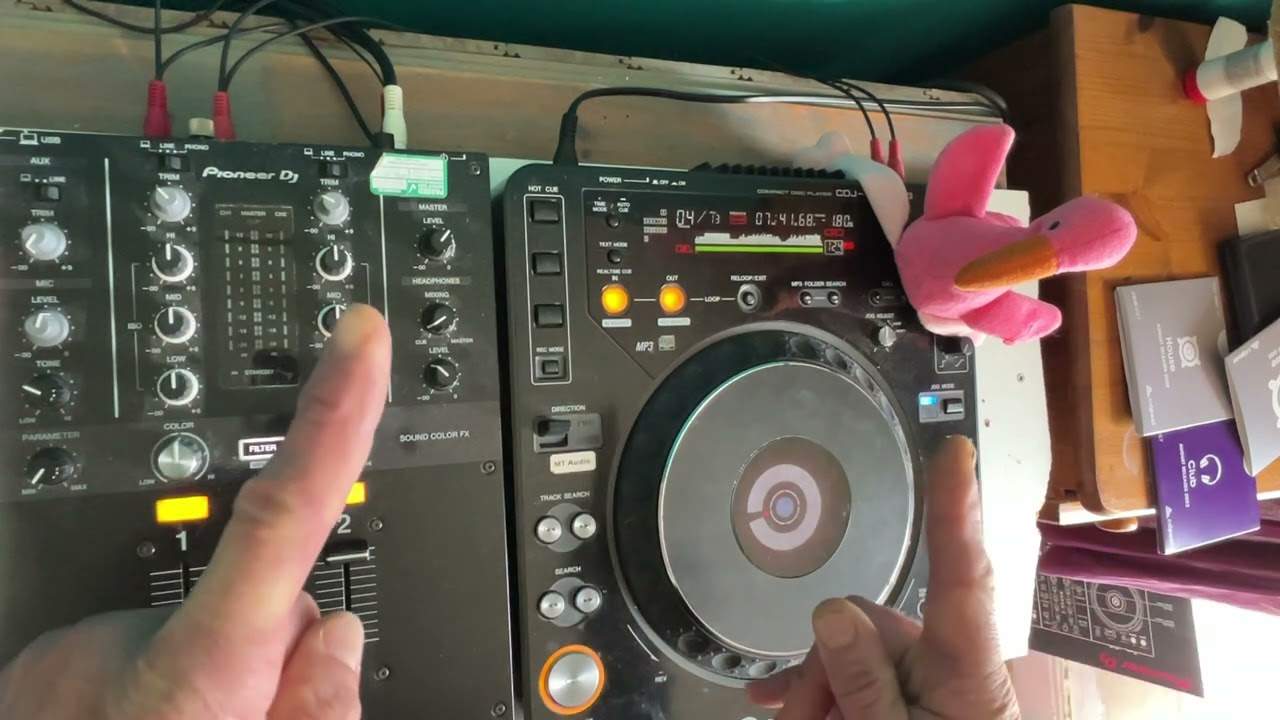
Or 10 max. Reason for that is very simple. So if I just zoom out, maybe not that much. We go in about sort of there. OK, so pitch here, very simple. Now, this is quite a big pitch, so I've got a lot of scope here for movement. But it will come more apparent if you're using, let's say, DDJ 400 or a smaller controller with a very tiny pitch. And if you're using a tiny pitch or a beginner and you're at plus 16 or 50, you are going to find it really difficult to beat match. And I'll explain why now those numbers are basically based on the percentage of the original BPM of the track that's playing. So to make it easy for this video, let's imagine we've got a hip hop tune. Now this isn't hip hop. It's a house tune, but it doesn't really matter.
2:39 The higher the number, the more diffic
So let's imagine you got a hip hop tune. OK? of 100 bpm. So if your pitch is set to plus or minus 8%, that means when you move the pitch all the way towards you, you will increase by 8% of the original bpm. So all the way towards you, it will no longer be 100 bpm, it will actually be 108 bpm. You move it away from you, it's going to be 92 bpm. If that's 10%, of course, it's going to be 110 or 90 bpm. Now, why is this important? Let's say if you've got a small pitch control. Well, it's very simple. It means that you've got less movement or you've got less space, should I say, sorry, not movement, less space on your pitch plus or minus. Okay, which means moves have to be a little bit more precise, whereas bigger pitches, you've still got to be
Precise, but you do have more play. Now, where it gets very difficult and for a beginner, you're an idiot if you have it at plus 50 or 100, but not quite such an idiot yet, we'll explain. It means that, of course, your moves on a small pitch are going to be minuscule if you're going to have it at 16, 50 or 100. The higher the number, the more difficult it is to match those beats. Of course, you've got a screen to look at and numbers, but I'm old school, and if you want to learn the hard way, the correct way, close your laptop down and use your ears. So why would you want to use the wide feature? Why would you want to go all the way to 100? Well, in previous videos, I've shown you how you can mix from house to drum and bass or drum and bass to house. That's when the wide feature is
3:59 Wide feature
Really important, because you can dramatically reduce or increase the speed of a track. But also what you can do, for example, is you can have a great effect. So if I just play this track now plus or minus 10 at the beginning, I'm just going to play the beginning so we don't get into any issues with copyright. We can hear that slow down, but we can't hear it. A big difference if I go to the wide feature. Now listen, so we can definitely hear a difference there. But also what's happening. Because I have master tempo, also known as key lock engaged, it's not changing the key. So even though it sounds slower, it's at the same key. If I take master tempo off and do the same thing, that's when it not only will sound as though it's going slower, but the overall sound,
The key of the track will dip as well. There. So why use the wide feature? Now let's say you're coming towards the end of the track, and you want to go all the way to 100. Well, you can do that. So let's press play, put it forward a bit and it's finished because with wide you are of course increasing, decreasing by 100%, which means if the original tempo was 100, it will go to 200. If the original tempo is 100 and you decrease the speed, it will go to zero. Now let's do the opposite. A good way of making sure that you're not going to be able to hear the same thing over and over again, maybe starting a track is start it on wide and press play. It's not playing. That's because hold on. There you go. And there you go. You've started it from basically when it's
Not playing at all. You're slowly bringing the pitch up and you're slowly increasing the speed. Now, the only effect I've got on this mixer is the filter. I would recommend if you're doing something like that to add an echo as well. It just gives it, the, the overall feel a little bit more depth. All right. Now hope that's been a help. And again, finish this video off because I'm sure there's some people out there who thinking, hold on, what's going on? You know, I can't get this mix in correctly. It could be because one side is saying plus or minus 10 and the other ones at plus and minus 16. And of course, what you're doing then is, you know, you may be thinking, hold on, one pitch seems to be working better than the
Other. It's because they're not set at the same BP. So if you're doing something like that, so again, make sure they're set the same BPM. If you're a beginner, the lower the number, the better, the easier it is for you for transitions. If you want to start doing effects, go to a higher number. Hope that's a help practice and enjoy. Thank you.
This transcript was produced automatically from the audio of the video and may contain mistakes.








