 12:05
Best Way to Use Loops in Time in the Mix Club Tracks CD Pool October 2019
Contents of the video
0:00 We have some new releases from CDPool
Right, ladies and gentlemen, we have some new releases from CDPool. These are the club releases for October 2019. By the way, a big shout out, thank you very much to CDPool, sorry, for letting me play a part with their stand at the BPM show this year. It was amazing, it was good fun. Now, I'm going to be playing you a few tracks from the new releases. This one here is a track entitled After Hours, the VIP mix. Also in this video, what I'm going to show you is how we can form different size loops and use those loops in time with the track. Alright, a lot of people, well actually three, okay not a lot, three people have asked me over the course of only a week or so, how can we make loops Long and short loops and add them to a track without making it sound terrible. So hopefully this demonstration I'll show you as well. All right but first of all let's just go through some of the tracks. Now again these videos are about just having a little bit of a look at the new releases so you can, you know what to expect really. So the club releases again not so hands in the air, not so piano styling, a little bit more
2:35 What quantize will do, it'll snap it in time for you, okay?
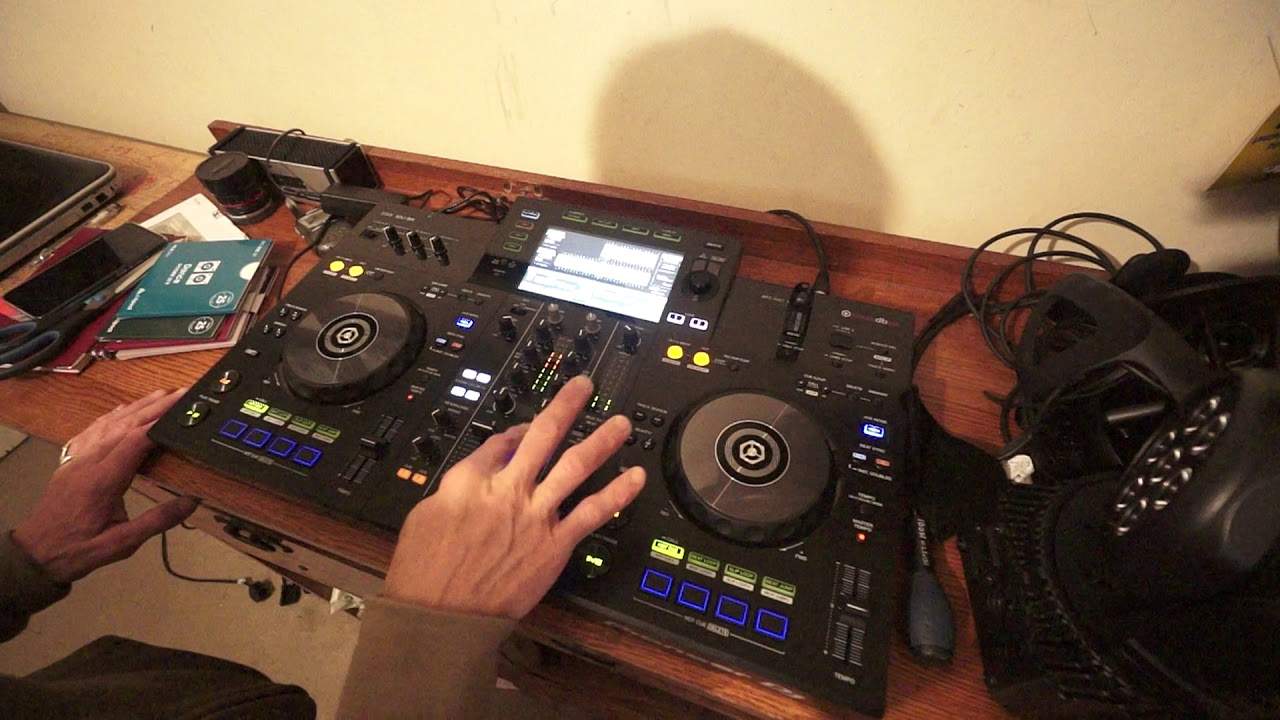
After Hours, The Last Indigo Extended Remix I'm using rekordbox software and I'm using the XDJ-RR as well. Now we can hear with this one, there's quite a long introduction. So let's have a listen to the beginning of that again. Now for some people it might put them off trying to beatmatch this because where does it start? So what I would be doing personally is finding the first kick. So I cue it up there. Now I'm using rekordbox software but at the same time at the moment I don't have quantize engaged. So, a couple of things. First of all, with quantize disengaged, wherever you cue up the track, that is where it will cue up. But if you have quantize engaged, let's imagine you're a little bit too before the beat, the count of one and a bar, or you cue it up slightly afterwards. Well, what quantize will do, it'll snap it in time for you, okay? Okay, so spin this one forward a little bit. Let's go back.
Let's try another random one. Feel Your Power. All of these tracks, by the way, can be downloaded as well. So you can buy the hard copies on CD, also you can get the downloads. There will be a link to the CDPool website in the description of this video. Also, there is a code, and if you're a first-time user for CDPool and you use that code, you'll get 50% off your first subscription. For example, you get one compilation, The Dance, you get 50% off that. But if you get all of them, you'll still get 50% off all of them, okay? Okay, Feel Your Power, this is the original... Sorry, this one's still... Sorry, back to you, I beg your pardon. Let's go Feel Your Power. So, the next one, Feel Your Power, the original mix. Let's just go forward a little bit. Quite dark feeling, this one. Sounds a bit more lively, this one.
4:23 What I'm going to do now is let's use these loops
Okay, so what I'm going to do now is let's use these loops. Now, something very important about using loops is if you're going to use a loop in time with the other track, you've got to make sure that the loop itself is flawless. It is an exact perfect loop. So if, let's say, you're doing this manually without quantizing gauge, in other words, you've just downloaded a file, it's an MP3, you haven't put it through any software. If you start and stop that loop, it may sound to you as though it's in time, but if it's say a fraction of a second out of time, every time that loop goes around, it's going to be out of time a bit more and so on and so on. So over time, it will end up being out of time. On the other hand, with quantize engaged, what that will do, it will allow the user to...
Not have to be so precise when they start and stop the loop because Quantize will say you're a bit too late, I'm going to bring it in time. You were slightly too out of time when you ended the loop, I'm going to make sure it's in time for you. So let's press play, let's go forward a bit. There's my first loop come out of that. My second loop.
There's my next one. Alright, something you might have noticed there, when I pressed my last hot cue, which is now of course a loop, when I pressed it, rewind if you missed it, it sort of didn't play that loop when I pressed it. It was almost as though, hold on, there's something wrong with the hardware, but there's nothing wrong with this. What it is, is because it's still in quantize mode. Now, this is where we get the professionalism of a DJ out, because there's two ways now of using these loops. First of all, the loops, theoretically, because they've been put through quantize, should be bang on the money in time. But if I still have quantize engaged, I can't really experiment too much with these loops, because if I press the hot cues quickly...
7:03 That first
I won't be able to have those loops played every time I hit the hot cue because Quantize is saying, hold on, you hit it a bit too soon. We're going to wait and we're going to bring that loop in in time. On the other hand, Quantize engaged. If I hit those loops now very quickly, I will be able to play them. Exactly at the same time I hit that hot cue. So I'll demonstrate that first. This is Quantize engaged. You can hear me tapping, but the loops are down two, three, four. Now I don't want to go into it right now, but you can change the settings in the software as well. Okay, now let's disengage Quantize. Now listen.
10:20 Instead having
I should have pressed that again. Okay, now I hope that does make sense. So to answer the questions from a couple of people, three in fact, about using loops, you can set your loops on your hot cues. If you're using rekordbox, make sure quantize engage is engaged and then by pressing the hot cues... Each one will allow you to play the loop that you've recorded on those hot cues. Alright, I hope that makes sense. Again, this is Feel Your Power, the original mix. Nice uplifting track, Miz. Okay, next one is Level Up, the original mix. Okay, I'm going to go to a track entitled Pressure, the extended mix. Ah, yeah. Let's go to... Okay. Let's get a Stay, the club mix. What I will be doing as well is maybe a couple of demos on the RR in the near future as well. So I've just had this, I know it's been out for quite a while.
But what I wanted to do is, I wanted to wait until I could get it and keep it, instead of having it for like a week and then having it sort of disappear. The reason for that is, I want to be able to have this next to the RX2 and be able to go to and from. So instead of having it, it's gone away and someone asking me questions on the RR, now hopefully I should have this for a very long time and I can always bring it out and ask, answer, sorry, any questions. It's not as intricate or as good as the RX, but you've still got your two USB ports. You can still record on one. You don't have the features here of the switches to go from the internal mode into external mode. You still do have a third channel, which is your auxiliary here. You know, only four hot cues, not eight. A couple more features as well.
Less professional than the ex-DJ RX number 2, but he's still a good player. I'm pleasantly surprised at the moment, alright? So we'll finish with this track, stay as the club mix. Don't forget there is a link in the description to the CDpool.com website and don't forget if you are in and around Europe, you're a working DJ. And you're interested in CD Pool and you want to use them, well, first-time users, you will get 50% off if you use the code that will be in the description. Go to the website, get more info, practice and enjoy. Thank you.
This transcript was produced automatically from the audio of the video and may contain mistakes.








