 6:55
DJ Beat Matching Lesson Using the Hand Clap BY Ellaskins the Original DJ Tutor
Contents of the video
0:00 Another beatmatching tutorial for you
Alright ladies and gentlemen, another beatmatching tutorial for you. And on the odd occasion there are tunes that come out that you think are absolutely shit hot. This is one of them. It's by Scruff Vizzer. Yeah, Scruff is a tracking title, kick it. It's Marshall F Remix. Right, beatmatching tutorials. I'll tell you what, play a little bit of this so you can get the gist of it. By the way, you can find this on CDPool releases, the urban releases for October 2013.
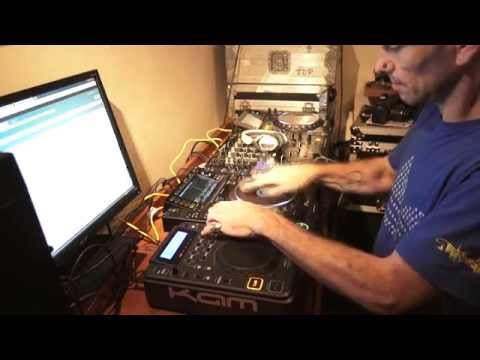
Messing around there. OK, so back to the tutorial. What we have here, we have CD Player from Cam, it's the KCD 550 USB. And we have the Nexus from... From Pioneer. Alright, now this beatmatching tutorial is all about matching the high hand clap. It's a very good way of practicing getting your ear to work out what's going faster and what's going slower. No need for headphones, just have a listen. That's all it is. Now what I'm going to do, I'm going to put the pitch down there, press play, and just let it run through.
1:41 I think that was quite obviously off beat, completely off beat
I think that was quite obviously off beat, completely off beat. Just put that on auto cue. So what we need to do, we need to try and match that so it's perfectly in time. And the only way of doing that is to move the pitch control here. Anyone who's new to beatmatching, very simple. Pitch control here will increase or decrease the speed depending on which way you pull or push it. Of course, that is also dependent on... On... If you bring it towards you, the player you're using will then make the speed increase. Some players it'll decrease. If you're using software by the way, you can reverse so instead of it speeding up when it comes towards you, you can make it slow down. Or instead of it slowing down when it goes away from you, you can make it speed up.
But I like to have it so as it's coming towards you it's speeding up, it's going away from you, it's slowing down. So of course what we need to do, we need to try and get them in beat. And we can only do that by moving the pitch control. Now again, this is a better way of learning how to beatmix because you've just got a hand clap. There's nothing else going on. Think about it. If you have done beatmatching before, you have one track playing with a load going on and another one with a load going on. There's lots of music. There's lots of sounds. But here, you're just gonna be differentiating in between a track and a hand clap. You need to keep your ears on the hand clap, so here we go. Now this is where we can get a little bit more...
4:43 I was actually bringing the clap on the off beat
How can I put it? We can add a little bit of interest to what we're trying to do. Of course we're trying to practice but we want to add some interest to that practice so it doesn't become boring. Try this. OK, what was going on there? I was actually bringing the clap on the off beat. So... OK, it's on the off beat but it actually doesn't sound off because again, it's only a clap. If I was to bring that clap in over that track but there was a lot more going on inside of that particular track In other words, it wasn't just a clap. It was bass, vocals, melody. It would probably sound terrible but because it's just that one sound, it doesn't sound bad at all. Now again, this is a beatmatching tutorial but you imagine bringing something like this into a mix.
You can have so much fun. I'll show you. Here we go.
There you go. What you're doing is you're actually editing that one sound but the most important part is that you're editing it in time with the music. Now, this may seem really simple to a lot of people out there. You know, you're watching this thinking... But for a lot of people It's new It's different And it's a way of starting to learn how to beatmatch. Practice and enjoy.
This transcript was produced automatically from the audio of the video and may contain mistakes.








