 9:10
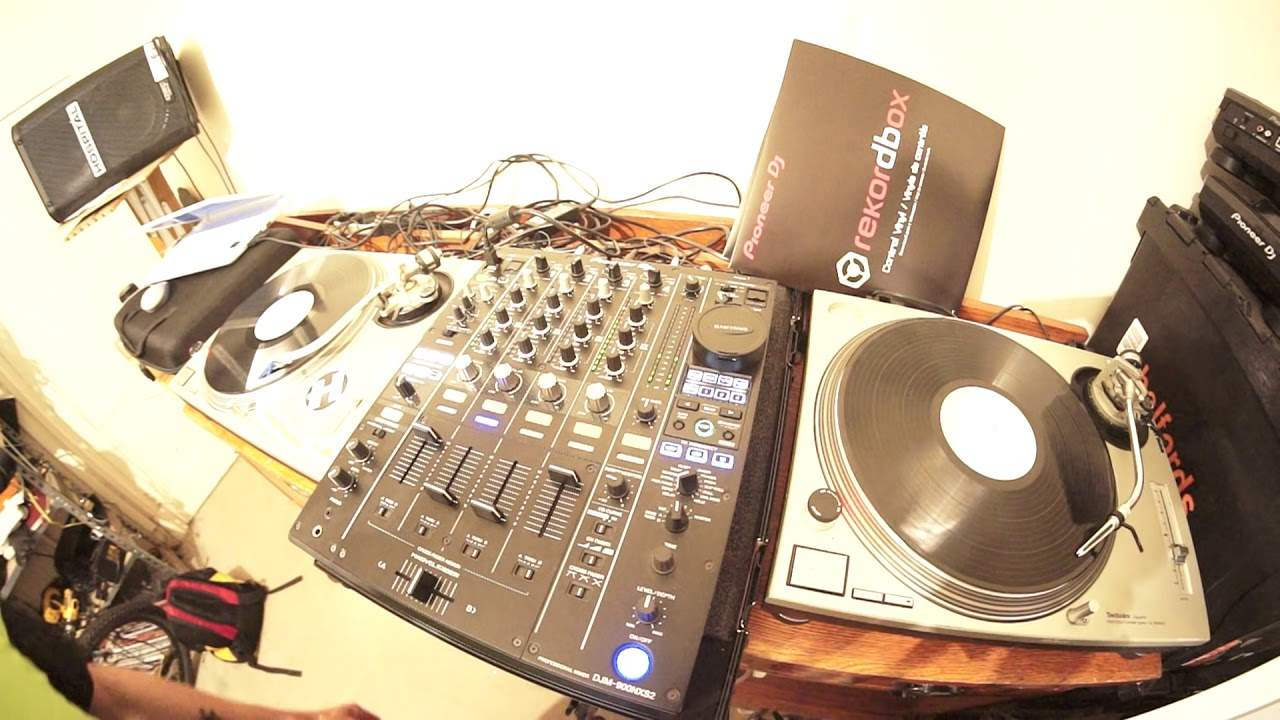
DJ Beat Mixing Demonstration Using Pioneer DVS rekordbox and SL1200MK2
Contents of the video
0:00 Vinyl, move, away
Alright, this video is all about helping you move from let's say CDJs or controllers to vinyl. So you want to have a transition, you want to move away from gawping at a controller and having nothing tactile to touch. Same really goes with a CD player, I mean if you're familiar with just like putting a CD in and pressing buttons, fair enough. But if you want to start using vinyl, you want to actually touch, physically touch the music pretty much that you're playing, then of course virtual vinyl and for that matter real vinyl is the way for you. Now what you will find is that there is a very big difference between using the pitch control on let's say your run-of-the-mill controller or for that matter your CD player,
As opposed to looking and looking at and using really the vinyl turntables. Now in front of me I have a set of Technics SL-1200 turntables, I'm using a tune from Slapfunk Records, there will be information in the description on this track. So the first big difference is the controller that you're probably used to or the CD players, the pitch controls are very loose. You know you tap them and they will move half a mile. So for example, you can get your track in beat and you think you have, you move your fingers away and your fingers may slightly move the pitch away from you or towards you and guess what? It's out of beat. The difference is with especially Technics SL-1200s, the pitches are very firm so you do have to give it a push so what I do like about that is that when you do move your fingers away,
2:19 No because I have closed the laptop
It's very unlikely you're going to get your track in beat. It's very unlikely you're going to accidentally change the speed of the track. Now again, this lesson is all about helping you to learn how to beat match using vinyl. Now I'm using virtual vinyl, I'm using Rekordbox software, Rekordbox DVS. I've also got the control vinyl from Pioneer Rekordbox as well so I'm going to put the needle on the record on the left hand side. Get that set up ready and same on the right hand side, put the needle on the record. All right. So this is a good practice. Now I'm not using any headphones at all. I'm going to put the pitch on the left hand deck to around about plus two, exactly the same on the other side, around about plus two.
So you may think yeah but of course you're going to beat match because it's the same track and the pitches are in the same place. Well no because I have closed the laptop. I cannot see the BPM and also even though visually the pitches look as though they're in the same position, the one side could be 0.3 BPM faster than the other or the other side could be 0.2 BPM slower than the other, you just don't know. The way of finding out of course is to listen for that phasing sound which is what we want to hear so press play on one side. Also what I'm going to do as well again, we're not going to have a true phasing sound because one track will start off before the other one. If you did want to get a true phasing sound then I recommend you start both decks at the same time
4:39 Can you hear how that phasing sound is changing frequency?
But for a beginner it's easier and better to start one and then start the next one maybe one or two or even four bars later. So here we go. Three, four, one, two, three, four. One, two, three, four. One, two, three, four. One, two, three, four. There's that phasing sound. Now we've got the echo. We don't want that. More of an echo. Speed it up. There's that phasing sound. There it is. That's what we want. Can you hear how that phasing sound is changing frequency? There it is again. Now we're getting that echo. Echo reducing, getting the phasing sound again. There it is again. Okay, it's not perfect but it's very close. Okay, let's take the camera off the tripod. Let's open up the screen. Okay, so I don't know if you can see what I'm looking at here.
6:49 Like literally a fraction of a minute
Let me just reduce Iris on the camera. Okay, 127.7, 127.798. It is fluctuating slightly. And as we can hear, we're starting to get that echo again. So judging by the right-hand side, the BPM is fluctuating slightly on that. So there could be actually something wrong with the pitch control itself. I'm going to slow it down. Watch. Put my finger on the side of the turntable. There we go, got that phasing sound again. Now I'm going to move the pitch down very, very slightly. You know what I mean? Like literally a fraction of a minute. Millimetre. There you go. So one, two and the one again. All right, a bit of a demonstration here. It's been a help. Now very quickly as well, you should notice I've got my laptop over there.
The laptop is not directly in front of me. Whether you're in a nightclub, you're at a mate's house or you're in your bedroom doing your own thing, try and get used to not having your laptop there. Have it over there because eventually when you do go and play in front of people, people want to see you and what you're doing but they do not want to have this kind of ridiculous barrier in front of you. It just looks, in my mind, very unprofessional, right? Hope that's been a help. By the way, the tune you're listening to is Slap Funk Recordings SLPFNK011 This is Ferro a track entitled Mac Buck M-A-C-B-U-K And we can hear it's echoing again. Still a little bit too fast. There, brought the pitch down very slightly again. And there we go.
Okay, so it's good enough. I mean,
They're pretty close. I mean this kind of closeness would happily do for an 8 or a 16 bar mix as you can hear.
And if we look now at the BPM readout, 127.7 That's staying pretty solid. This one is fluctuating slightly so in my mind it could be the deck. It could actually be that the pitch control itself is maybe getting on a bit. I mean, you know again, techniques. These turntables they could be 10, could be 15 years old so nothing lasts forever. Alright, demonstration here. Thank you very much and practice and enjoy. Nice one. Thank you.
This transcript was produced automatically from the audio of the video and may contain mistakes.








