 4:05
DJ Lesson, Practice on Beat Matching BY Ellaskins the DJ Tutor
Contents of the video
0:00 What we're going to do is form a loop
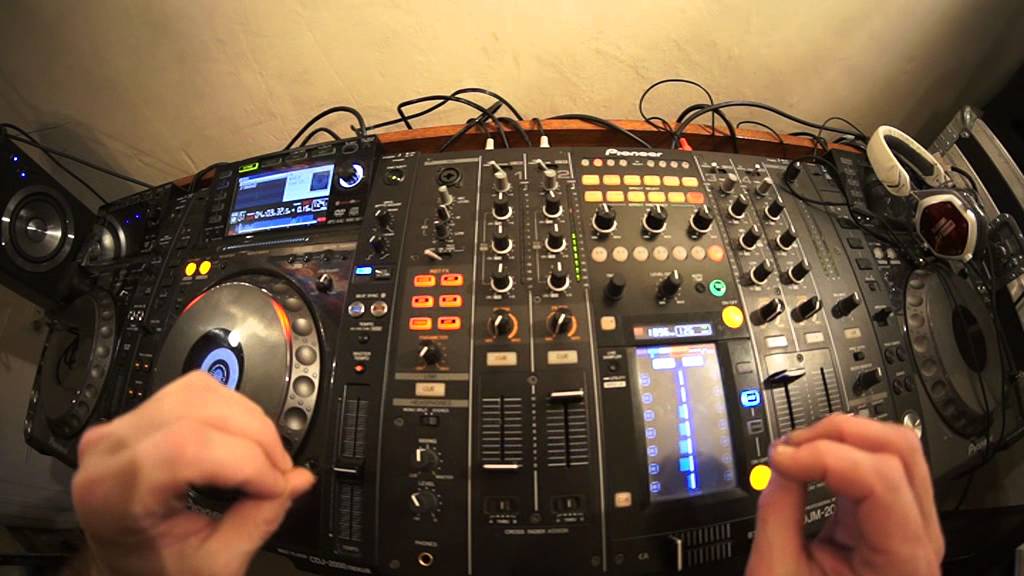
All right, ladies and gentlemen, what I'm about to show you, you can do with most of the Pioneer DJM mixers. You can do it with the DJM500, 600, 750, 800, 850, 900 and 2000 I have in front of me. What we're going to do is form a loop. We're going to put that loop onto another channel and then we're going to mix the track in over the top. This is a beatmatching demonstration and it's also a beatmatching tutorial. It's something that you can practice. It's being able to keep the beat in time over a loop that may be slightly out. So hopefully you'll see where this particular tutorial is going. First of all, what we need to do is we need to make sure that we're on channel two. I'm on channel two here. Any channel for that matter, but it's dependent, of course, on which channel the CD player is plugged into. For this matter, it's channel two.
0:59 I'm going to tap in time with the track
Tune, by the way, is by Kenny Hectic and I'll put a link in the description where you can download this particular track for free. OK, so what I'm going to do now is I'm going to make sure I'm on roll and play the track. I'm going to tap in time with the track. Do four over one. Now I've formed a loop. I'm doing all of this manually. There's a reason for this is because I want it to be slightly off. I want it to be a little bit off. OK, what I'm going to do now is transfer that loop onto another channel. So all I do is put the volume up to the relevant channel I want it to go to. And then press at the top of that specific channel. All right, now we've got a loop going. Now, the idea here is to try and keep this track now in time with the loop.
Here we go. I'm going to pause it. Did you hear there was a point a couple of times where it started to rise? The sound changed as though it's phasing. Well, that's exactly what it was doing. What was happening? If you imagine two beats and one beat. One is slightly off, so a beat is sort of here and this one's here and they're moving along slightly off when they phase. They're in exactly the same position, so they cancel each other out. That is the sound you need to hear. So this, in a way, is it's training your ear to listen for that sound. Also, it's a great way of getting used to moving the jog wheel perfectly. So every time you move it, you're not a little bit tiny bit a little bit more. You know, you're not moving it.
Let's say a tiny amount to begin with, and then a fraction more afterwards. You're hopefully going to move the jog wheel precisely exactly the same amount every single time. So bring that up and we'll give it another go.
3:14 Fun practice and enjoy
Fun practice and enjoy. Just play a bit more this tune. Check it out. It's very good. Oh, wrong one. I was just going to do the loop.
Big shags out to Kenny in the house. Thank you very much for letting me use your tracks. I will finish off your practice and enjoy. Thank you.
This transcript was produced automatically from the audio of the video and may contain mistakes.








