 7:32
DJ Mixing Lesson on Adding a Effect over the Same Track Playing in the Mix BY Ellaskins DJ Tutor
Contents of the video
0:00 This technique is not suitable for everybody
Alright guys, happy Ella Day. Now this technique is not suitable for everybody. It's another idea for you. It's another idea actually of how to use some effects in a very sort of subtle way. I'm using the RX. I'm using a track by Mr. Lenny Fontana entitled Raise Your Hands. I'll put a link to Karmic Power Records in the description of the video. Now I need you to work with me here because I'm going to explain how to get to the stage of doing this step by step, let's say if you're live in a mix. Now don't forget as well, the RX is suitable for the Pioneer software known as rekordbox. It's a free software, downloadable and as ever I recommend you go to the Pioneer site and download it from there. There are probably other places where you can get it from but it's always better to get programs from there.
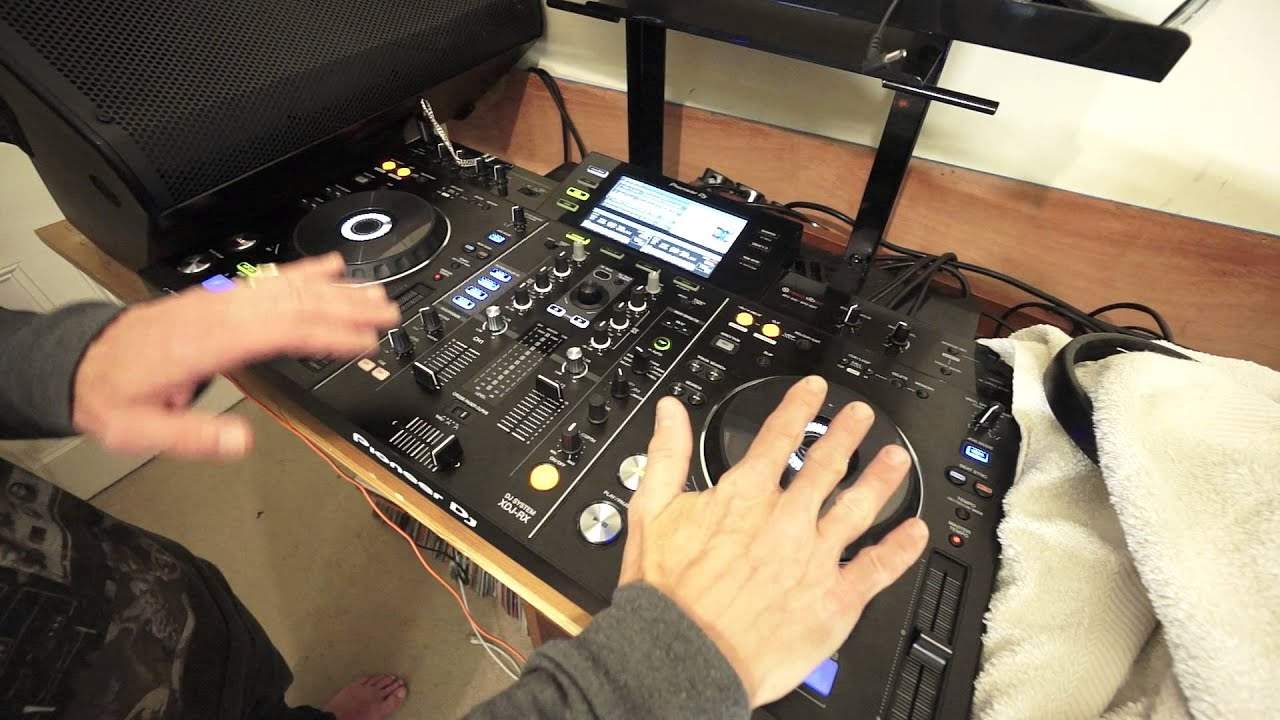
So get it from the sites where they're originally from, not from third parties because you may end up clicking on stuff you don't really want to click on. Just go there and do that stuff, okay? Right, so what are we doing? I'll just put the camera, point it down there so you've got a better view first of all. So there it is, that's the Pioneer RX. Just move the screen so I can see what I'm doing. Okay, so let's imagine now we are doing a live set. And crossfades over and again what I'm about to show you now, very important, can be done on any mixer that has effects, any controller that has effects, not just the RX. Pretty much any modern day piece of DJ kit. So don't be scratching your heads thinking I can't afford one of these, I can't do it. Yes you can.
Alright so imagine you're playing a track on the right or the left hand side. You've got a track over here and you're about to mix in your next track. Now prior to mixing in your next track, what you would have done is you would have set some hot cues or a hot cue in the likes of Rekordbox. Again if you're not using Rekordbox, you're using for example Serato or Traktor or Virtual DJ then of course you just have to set cue points. Simple. So we've got a track playing over here, we then mix in the next track. Now prior to doing this, what I'm going to do, what you would have done is the track that you're going to mix the next one in, you'd have set a hot cue of roughly 16 or 24 or 32 bars into the track.
2:33 The reason for that is you've got to give yourself time for the transi
The reason for that is you've got to give yourself time for the transition. So track 1 mixing in track 2. So as track 1 is finishing or halfway through the beginning wherever you want to mix track 2 into track 1, you're going to have a transition period of anything from a chop which can be done, to 1 bar, 4 bars, 8 bars, 16 bars depending on how you want to mix, whether you want to phrase mix or just bung it in and hope for the best. So of course once that transition is over then you will get ready to start the hot cue. Now I started the hot cue after 8 bars so let's say for example I was going to do a quick 7 bar mix bunging the hot cue. So of course if you think about it, we're playing this track happily playing away.
We're playing this track now. We're mixing in. We're going to mix in the track. There we go. So the track's mixed in. There. Crossfades over now. So what I'm now going to do is press my hot cue. There. Hold on. I was slightly off there. I do apologize. I started it. I was slightly off. Okay. Also very important as well is my hot cue. It needs to be, I need to start my hot cue at the exact time of the track that's playing. That's important. So in other words you've got the same track overlapping each other. So if you were to put the crossfade in the middle you'd have them phasing. So let's just do that again. So 1, 2, 3, 4, 1. So I'm doing my mix now. 2, 3, 4, 1, 2, 3, 4, 1, 2, 3, 4, 1, 2, 3 and so on. Find your next track.
4:58 The reason there's a gap is why?
3, 4, 1, 2, 3. Okay you can hear their phase now. All right so they're both at the same speed so okay what's the effect thing about? All right so now what we're going to do is I'm now going to use my effects on the right hand side not the left hand side. What that means is I can snap my effects in. Listen. Just gonna bring it down. Instead of the sound something like this. There's a gap in the sound. The reason there's a gap is why? While I am moving the color effect dial I am having to bring the volume down to get to the next sound of that color effect. So without having to move the volume down what you're doing instead of doing that you're just crossing over to the effect on the other side and then back to the original track.
Then while you're back at the original track you can then move the effect a little bit more and go over again. So at no point have you got any effect. There's no gaps in the sound itself. So you know we can add maybe a delay so track two still in time. It's only a small tip it's a tiny little bit of something different that you could potentially add into your mix but like I say with every single tutorial apart from practice and enjoy is take small bits of these tutorials and make it your own. Don't follow this step by step. Take a little bit of this one a little bit of that one. Go and watch other people as well take a little bit of what they've got chuck it all together and you never know you could end up with something magical.
I would like to see you in Ibiza. Practice and enjoy. Thank you.
This transcript was produced automatically from the audio of the video and may contain mistakes.








