 7:19
DJ Practise Makes Perfect but You Need to Stretch Yourself!
Contents of the video
0:00 I've got a tune here by Eddie Amador, Lord Hear Our Prayer
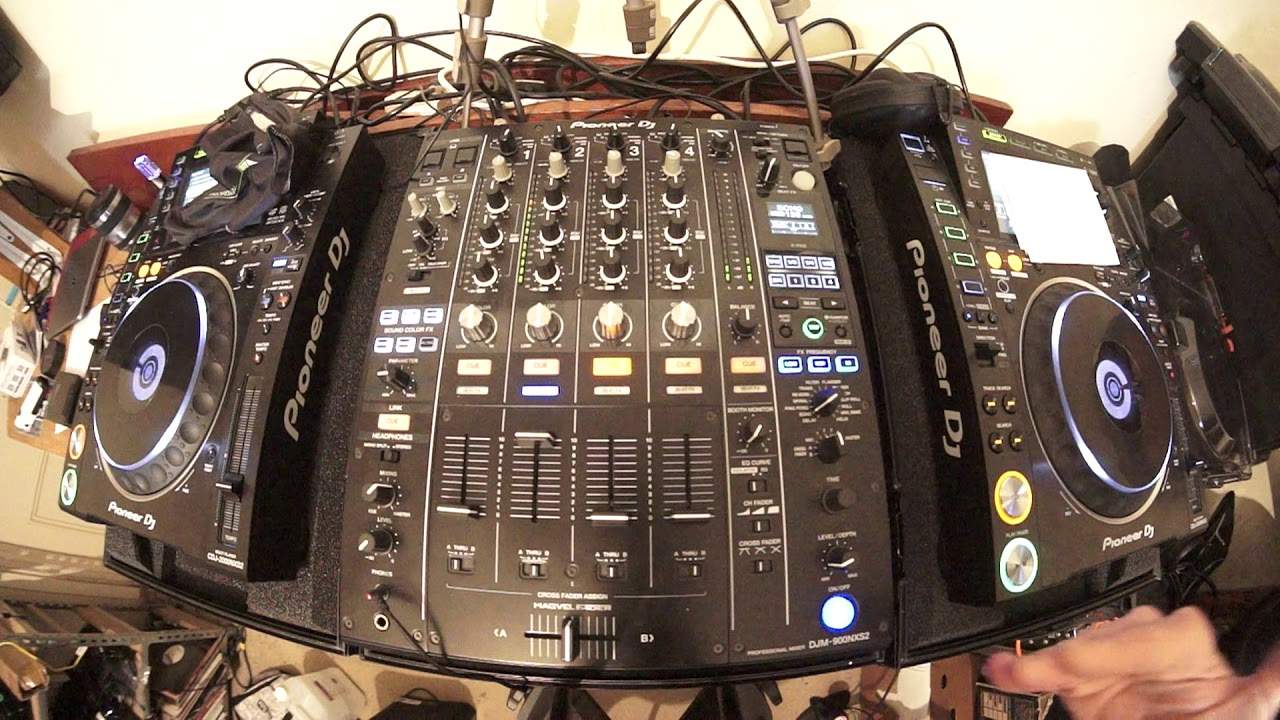
Alright, I've got a tune here by Eddie Amador, Lord Hear Our Prayer. It's on Karmic Power Records and there will be a link in the description right down there. So, brilliant practice for you. This is you learning how to mix without using screens, without using laptops, without using software. You're just using your goddamn ears. So, I'm going to press the beginning of the track at the moment. Pitches are in the centre position. Now this can get quite interesting as the video goes along and you will see why. It's very self-explanatory. So, all I did there was a very simple transition. Went from one side to the other. Same track, both sides. But at the moment the pitches are pretty much the same place.
And if we have a look, we're on plus or minus 10% there. We're on plus or minus 10% there. 121.4, 121.4 to 5 BPM. So, they're sort of the same really, aren't they? Well, that's boring, isn't it? Let's make it a little bit more interesting. I'm going to press the tempo selector plus or minus 16. Cover the screen, cover the screen. I'm going to move the pitches all over the place. So now, not only are they different BPMs. But the pitch controls are different as well. Because at the moment now, the one on the left is at plus or minus 10%. First of all, what does that mean? Well, let's imagine the track is 100 BPM. If the pitch was right in the centre, that would mean, of course, the track would be at 100 BPM.
2:09 On the other side, though, it's 16
If I move the pitch all the way away from me, as far as it will go, we will decrease the BPM by 10%, making it to 90 BPM. Bring it towards me. 110. On the other side, though, it's 16. So of course, we're going to move it if we move it all the way from us and it's 100. It would go down to 84 all the way towards me. 116 BPM. So we've got a lot. There's one hell of a difference here now. Not only are the pitch controls now configured differently. I am going to have to move them in a different place. To get the tracks in beat. So, for example, if the pitch is, let's say at this position up here. So I've increased it. And let's say, for example, for the people who are partially sighted, the pitch at the moment is from the centre position, let's say about two centimetres towards me.
It's not going to be as much on the right hand side because if I did bring that two centimetres towards me, it would be even faster. You see, so what you're doing now is not only. You're training your ears to beat match, but you're making life more difficult for yourself, which is what it's about. You don't go for a run tomorrow morning and do a mile. And then for the rest of your life, you just go out and do a mile. That would be very boring because you want to try and stretch yourself maybe two miles, three, four. Before you know it, you're doing the Ironman. Right. So here we go. And also I've set some cue points at different points during the track, so I don't have to start them at the beginning all the time.
So long as I've got. A good cue point, which is I would say you need to have it in phrase. Then you've got another kind of element coming in where you're listening to a different kind of or you're listening to a different part of the track. So see the BPM and I'm trying to get it in beat so you don't hear that double tap sound. OK, let's move that one down. OK, so I've moved that down now. If you want to make it very difficult for yourself, and this is I mean really difficult. Go to a hundred percent now. A hundred percent is pretty much the holy grail of mixing. If you can mix tracks on one hundred percent, you're bloody clever. I'm not saying I'm clever, but I sort of do it. So right at the moment we're on plus or minus 16.
5:30 On the other hand, bring it towards you
I'm going to go to the wide feature, which is 100 percent. So in other words, if the track, if our original track, not this one random kind of track that I invented. The speed was 100 BPM all the way as far as it will go away from you to the minus and it will stop because you're reducing the speed by a hundred percent. On the other hand, bring it towards you. You will increase it by a hundred percent. So it'll be 200 BPM. Now I have very, very limited control over the speed of that because the slightest movement will increase or decrease the speed quite dramatically. And I'll demonstrate that now. So press play. Stop. I'm going to bring that one up to about there. Now, I've got to try and match the right hand side.
So let's press play. Now this is advanced. And it still can be done. You can hear it's going off beat slightly. Okay, try that. Don't forget. Eddie Amador. Carbon Fab Records. Thank you very much. Check out the link in the description. Practice and enjoy. Thank you.
This transcript was produced automatically from the audio of the video and may contain mistakes.








