 4:44
DJ tutorial Key lock... on... off ? could change the sound of the mix
Contents of the video
0:00 First of all without further doodly-doo-doos we're going to show you w
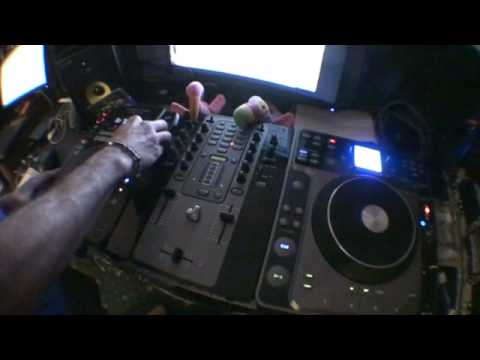
Right guys, now in this video it's a bit of a demonstration tutorial kind of thing on key lock. So first of all without further doodly-doo-doos we're going to show you what it is. Right, first of first before the first first because the first is the key lock first but I need to do a first first before the first. Right, the first first before the first is this guy here is a standard C5 324. This one here is the M... The M.207 mixer and this one here is the American Audio Radius 1000. Right, I'm going to take the angle wide angle doofy doodah lens off there and we'll go a little bit closer. Right, the tunes, I'll put the names in the description. Now, this buttony bit here that's shining blue is key lock. What that will do, it'll enable the track to stay the same pitch, the same key.
Even if I move the slider down that way so it slows down or speeds up. So let's give them, I'll give you an idea of what actually happens. Have a listen. I'm just weighing it forward a bit. Right, with key lock on, key lock off. Now you notice here now, not only are we speeding and slowing the beats, the BPM up, we're also in a sense speeding and slowing down the actual tone of the track as well. Right, so what's all this for? Right, I'll just put that back on there. May happen, sometimes. I've gone blurred. Oh my goodness! I'm not blurred! Marvellous! Right, quite often a lot of times you do need the key lock on because there could be a very big difference in the speed. But occasionally, well I don't know really, it depends on what you're chucking in in the mix, but in this particular situation here we find that it's better to have the key lock off. So what I'm going to do, I'm going to do two mixes. One with the key lock
3:31 What I need to do is, I'll just wang this one back a bit
On. Off. On. Off. Wipe on. Wipe off. No, wash. Anyway, right, okay, so what I'll do is I'll put that like that and I'll show you. So let's put, right, first of all we're going to have key lock on. Right, here we go. Right, why has it started there? Hold on. Just wanging forward a bit. I started it at the same time as well, there we go. Now let's try it now with key lock off. Right, so... What I need to do is, I'll just wang this one back a bit. In the same place as well. I'm afraid there was a bit of a skip on that CD. It's not the player, it's the damn CD. Right, so, in essence, what we've seen there is you can still mix a tune in. Let's say if it sounds off with key lock on, try it with key lock off, give it a go and you never know, it might sound alright. You can practice and enjoy. There you go.
This transcript was produced automatically from the audio of the video and may contain mistakes.








