 3:30
DJ Tutorial . The Wide feature +or- 100%. video 1
Contents of the video
0:00 Video number one for you on the wide feature on a CDJ player
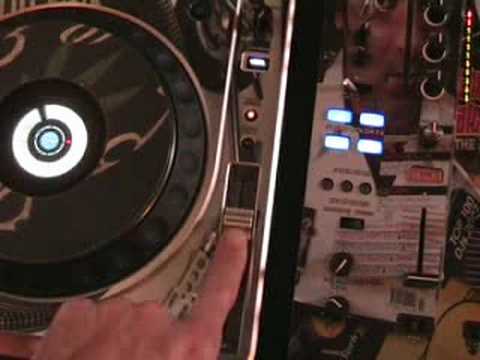
Alright folks, video number one for you on the wide feature on a CDJ player. In this video I'm going to give a brief description on what the wide feature is all about and then in future videos we'll start to have a mess around with it. For anyone out there who knows exactly what this is, basically this video is about showing complete, total and utter newbies and people who haven't even got the foggiest maybe what a pitch control is as well. So I'll pause the camera and have a closer look at this area here. Alright, there's your basic pitch control. That there will decrease, increase the tempo, the speed of the track. That button there is the wide feature. Right, this particular CD player is the Pioneer CDJ 800 Mark II and on this guy we can either do plus or minus 10%, plus or minus 100% and we get plus or minus 100 which is known as wide when that's shining. When it's not, we're just on plus or minus 10%.
1:00 At the moment we're on just plus or minus 10
Alright, so what happens? At the moment we're on just plus or minus 10. The track I'm going to be using is Aya Chopstick, a track entitled Get Alive. So let's play that. Right, at the moment, plus or minus 10. If we go minus, have a listen. We've slowed the track down 10%. Back to the centre point. Now go to the plus. It's now going faster by 10%. Tempo button. Now we're on the wide mode. Let's play the track again. Slow it down. Basically what's happening is we can reduce the speed by 100%. In other words, we can stop it. Or, we can make it go exceedingly slow. Bring it back up to the centre point. Now I'm going to bring it forward. Increase the speed. Alright, very briefly what's happening. Plus or minus 10. You're decreasing, increasing, plus or minus 10.
2:22 Wide mode, if you look
Plus or minus 100, you're increasing or decreasing by 100. In other words, there and there is 10% when we're on plus or minus 10. When we go to the wide mode, if you look at the width of my finger, that is possibly the equivalent to plus or minus 20 dependent on if you're reducing or increasing the speed. So if we're reducing, that's 20. 40, 60, 80, 100. Well, I can just about get five fingers in there. Exactly the same for speeding it up. 20, 40, 60, 80, 100. One very important factor here. If you are a mixing DJ, it's highly advisable to have plus or minus 8, 10 or 16, never 100 because you won't have much control over your pitch control. Alright, video number one. In future videos... We'll be looking at different effects we can use using the wide mode on this guy here. And for that matter, any other turntable. Practice and enjoy.
This transcript was produced automatically from the audio of the video and may contain mistakes.








