 7:09
DJ Tutorial . The Wide feature Technics SL1200 video 2
Contents of the video
0:00 The wide feature generally we're looking at 100%, plus or minus 100%
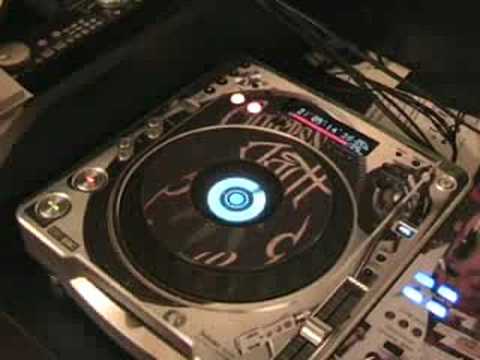
Alright folks, video number two on the pitch, the wide feature, sometimes known as the tempo feature on a DJ turntable. Now what are we on about? Alright, pitch control here. Quite often on a DJ turntable you'll be able to increase or decrease the speed of the pitch by say plus or minus 8%, 10%, 16%, 50%. The wide feature generally we're looking at 100%, plus or minus 100%. Now that guy there is a CD player, that's the Pioneer. CDJ-800M2, hold on. Now that guy there is a vinyl turntable, that's the Cam DDX 4500 USB. Now that guy there is another vinyl turntable, that is the classic, it's the Technics SL1200M2. Very quickly, SL1200M2, SL1210M2, the only difference is the 1200 is silver. And the 1210 is black. There is no other difference at all. Right, let's have a close look at the pitch. Right, if we have a look at this guy here, this is one reason I do like these turntables. They're ideal for mixing DJs because you've got all of that space there, minus 8 and plus 8, so you have not got the wide feature on this turntable. But guess what? You can get it, and I'll show you how.
2:11 CD player and let's try
A tiny bit of practice and eventually you'll get it. Maybe not perfectly, but it's about practice. Right, the track I'm going to be using is on Junior Boyzone. It's by Fire Island and it's entitled White Powder Dreams. Now what I'm going to do, I'm going to play the track and then I'm just going to turn this dial off. That's the power dial. I'm not going to touch anything else. Turn that off. Have a listen. Right, first of all, I'm not going to knacker. Let's have a look at the CD player and let's try and get a similarity. Okay, on the top of this guy we've got this thing here called touch release. What we can do, we can set this so we can have this guy stop abruptly or stop slow down mode. In other words, the tempo will slowly decrease. Now first of all, we'll have it so when I press stop, it will stop instantaneously. Here we go. There you go. What I'm going to do now is this guy up here, the moment that's set to 7 o'clock, I'm going to move this, set it to 5 o'clock.
Now let's have a listen. Start it up. And again, when you start it, it does exactly the same thing. It will slow, slowly increase, get to the right speed, but what we need to look at now is when we press here. Now that is nearly exactly the same as this. But, what on earth has that got to do with this feature here? Where we've got this guy. When we can decrease it by 100%. Now how can you do that with that turntable? Because that has only got plus or minus 8. Now earlier on I said you need a certain amount of skill and practice. I am no expert, but guess what? I can teach you what to do, maybe I can't do it brilliantly myself. But check this out. Now this does involve a little bit of skill. A little bit of know-how, this video is all about showing you how to do it. Hopefully in the next video I'll show you how you can incorporate this into part of your set and again it's about practice. Alright let's play the music. Right what I'm going to do is I'm going to turn the power off but I'm going to have my finger in the centre here and I'm going to move the record around and try and keep
The exact speed the record would be going at if the power was still on. Now again you may hear the pitch increase and decrease very slightly but what I'm going to do, I'm going to then slowly but surely make my finger go slower and slower and slower on the vinyl turntable till eventually it will stop. In other words instead of doing that
5:33 And hopefully
I can do exactly the same using my finger, but instead of let's say having the record go at its normal speed and eventually stop within say four or five seconds, I can have the record go at its normal speed and then stop anytime I want to, within one minute, two minutes, three minutes, even seven seconds, eight seconds. It's about when you want the track to stop. Now I'll show you and hopefully it'll be as clear as mud. Here we go. Number two on A wide feature, or the wide feature on a DJ turntable. And in this one I'm going to show, well I've shown you haven't I, how to get the wide feature on this guy here. It's the Technics SL1200 Mark II. By the way, loads more to come. Practice and enjoy.
This transcript was produced automatically from the audio of the video and may contain mistakes.








