 15:24
Great DJ Effect Using Wide a Loop and the Pitch CD Pool Global October 2019
Contents of the video
0:00 I'm using rekordbox software
Right guys, ScottyXDJRX2. I'm using rekordbox software. Also using tracks from CDPool Global Releases 2019 from October. If you're interested in using CDPool then check out the link in the description and also there is a code there. DJ Tutor. If you use that for the first time, you can get 50% off. Check out terms and conditions, but 50% is better than nothing. In fact, it's pretty good actually. Alright, so the tune you're listening to at the moment is All This Love That I'm Giving. It's a bit of a remix of an absolute classic sort of track. So let's put it forward a little bit. Bid in there a little bit. Just want to highlight the rest of the vocals. Right, bring that out. Probably could have brought this one in.
2:17 Plus and minus 16%
A little bit earlier if I wanted to get that defined phrase mixing, or that phrase mix should I say. Okay this one here, picket lines. Alright, now at the moment using rekordbox software, let's have a look. I tell you what, let's change the track. Let's try Freaky, Meet Me Halfway. Yeah, this one is quite slow actually. So what I'm going to do is go to plus and minus 16%. What you've got to be careful of when you're using anything above 10%, you've got less control over the pitch. Okay, why is that? Well... Let me just pause that. Basically what it means is that when you're at, say for example 10%, pitch is in the centre, if the track is 100 BPM, you move the pitch all the way down to the bottom as far as it will go to the minus position, you reduce it by 10%, get a 90 BPM, bring it all the way up to the top, it'll go to 110 BPM. But what that actually means is that you've got all that space to increase or decrease 10% of the track.
You will of course increase or decrease the speed a higher amount, but it means then that your moves have got to be a lot smaller on the pitch. So for example, if it was 1%, then you'd have to move that pitch control quite a bit, but the higher the percentage, the less moves or the less amount of move. Now, if you want any more info on that please put a comment in and I'll do another video on slightly more in depth but... I would recommend for a new DJ or a beginner or intermediate stick to say six or ten percent but if you want to start doing effects and stuff like that then definitely go into the wide feature which i will show you very shortly okay so oh that's quite slow so this is the original speed of it 105 bpm now at the moment using rekordbox software we can choose tracks by artist track key
5:41 This one here, it epitomises the garage kind of style
Album playlist of course if you've got a playlist and you've done that through rekordbox. Your history is of course what you played earlier on based on using the same thumb drive, search folder and Pioneer DJ record if you happen to have your USB plugged into the other plug which means not only can you play tracks from that USB you can also record at the same time. So let's get a track. I'm going to use that one. Yep. Okay, I think one of the great things about the global releases is you do get an eclectic mix of your deep, soulful, mellow, balleric kind of house music. But mainly it is garage style. Now this one here, it epitomises the garage kind of style. I want to know it's the original mix. Already it's got that kind of skip vibe to the beat. Absolutely loving it.
And these videos, by the way, in a way sort of demos, tutorials, but just giving you a bit of an insight into the new releases from CD4. They're based in the UK. Now they don't just do new releases every month of your global, your house music, your urban and your underground. They've also got back catalogue. So for example, if you're a new DJ, aspiring DJ, and you want a good back catalogue of the classic dance tracks, Go and get hold of them. Also, maybe you want to look into the realms of being a mobile DJ but more of a party DJ, they've got a back catalogue of your classics and party tracks that you would use as well. And I'm not talking about just the Macarena, you know, I'm talking about your Elvis Presley, you know, your Queen, your ABBA, your Robbie Williams, your Madonna, that sort of ilk. Okay, let's find something else. Let's go back. Okay, coming in.
7:41 What you believe the original mix
What you believe the original mix. Now I missed my point there, I missed the cue point. Let me bring that back a bit. Okay, what you believe this is the original mix. Let's put it forward a little bit. Loving it. That organ sound is just amazing. Let's see what else we've got here. Nice happy vibe to this one. Sorry, are you alright there? I do apologise if I knock you off your seat. Okay, we'll play one more. Next one coming in is The Rollercoaster. Okay, drop that one straight in. This is the original mix.
9:44 Speed it forward a bit
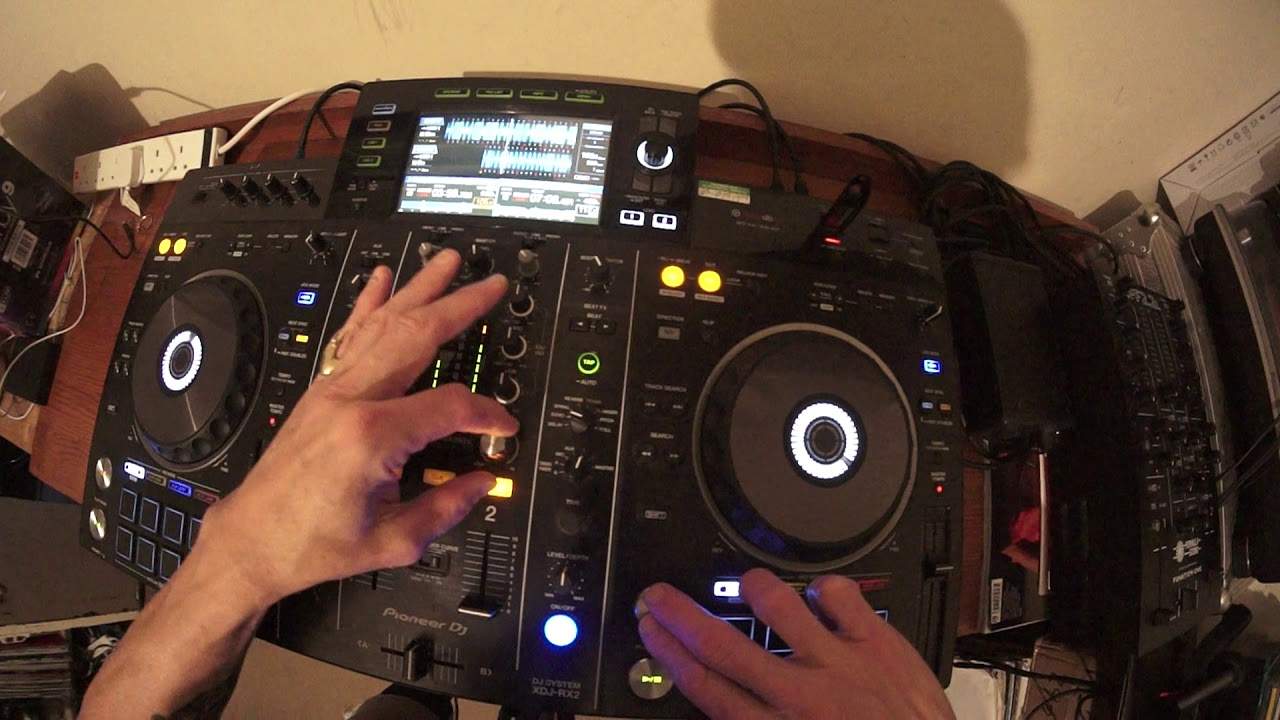
Speed it forward a bit. Okay, here's a good tip now on how to get more vibe in a break. Okay, so we're coming towards the break now. There it is. It's about sort of like eight bars away, so I'll just skip it forward a little bit more. Okay, here's the break. Right, I'm not going to do anything first. Second time we'll do something and we'll hear the difference. It's probably quite a good one to use because the break's slowing down as well. Okay, so... I think you get the vibe there of that break. The break actually slowed down there as well. So let's imagine, alright, I think this is great actually, a great explanation. Let's imagine that you didn't want that break to slow down because you felt by slowing it down it's just decreasing the vibe and energy. So watch this. Alright so, okay so what happened? Now I used what's known as the wide feature which basically will increase or decrease the track by 100%. Move it all the way to the minus, it'll stop.
All the way as fast as it will go and it will increase by twice the original speed. Now what I did there is I set the tempo select to the wide feature and I moved it towards me so I increased the BPM of that break. So I inadvertently, well no actually no not inadvertently because I did it anyway. But to the public out there, they may think, oh, what have you done? Maybe it was a mistake. Maybe you did do that accidentally. But I didn't because I wanted to increase the vibe and energy in that break. And you can do that by simply increasing the speed of the track in the break. What you do need to do though is to make sure you slow it back down again. A lot of people won't even know what's going on. They'll think, it just feels better. They'll actually be dancing in time with the track and they won't feel as though they are dancing faster. They'll just dance faster because they can hear it going faster. It's very psychological but it does work. So, as soon though as you've done that, what you need to do is make sure you go back to your original BPM which in this case was plus 10. And there we go.
13:12 Entitled Stay With Me
Okay, next one is entitled Stay With Me. Again, a beautiful sort of garage kind of style. As soon as you hear a track like this, you go, yeah, like it, want it. In the bag. Stay With Me, this is the extended mix. Loving it. Hard-edged Chicago relief records, old school 90s vibe. Loving it. Okay, let me show you something on this side here. Let's go back to that break. Who said garage wasn't techno? All I did there... Formed a very small loop, press the out, reduce that loop by moving the jog wheel anti-clockwise, set that on a hot cue. Also what I did, I turned off the master tempo and set the tempo select to the wide feature. Give it a go. Thank you very much. Don't forget, check out the link in the description to CD Pool practice and enjoy. Thanks.
This transcript was produced automatically from the audio of the video and may contain mistakes.








