 12:00
How to Know and Find out if Your DJ Loop Is 100 Percent in Time
Contents of the video
0:00 To you why possibly the loops
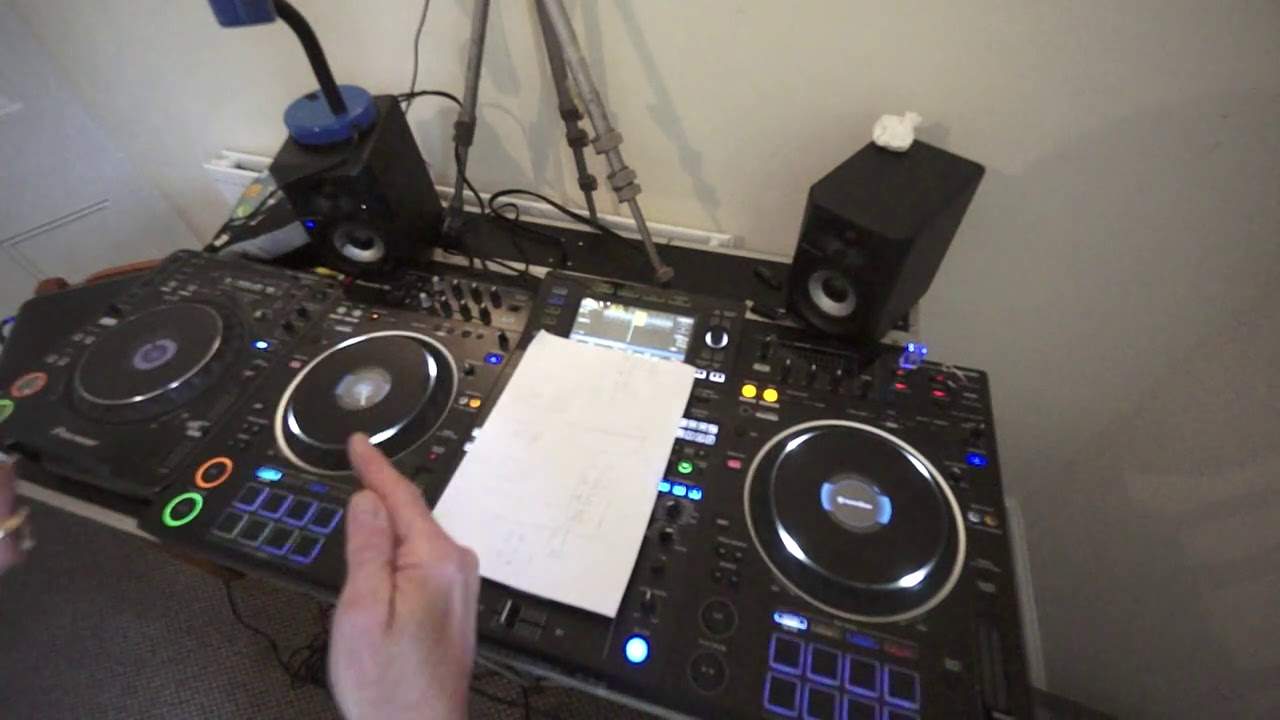
Right, so what I want to do is demonstrate to you why possibly the loops you're making aren't loops and you're just racking your brain as to why they're not working. So I've got the XZ, I've also got the CDJ-1000M3. Good reason for that because we can do loops on all of the kit but even though the, again agree or disagree with me, give me a thumbs up if you agree or disagree or tell me in a comment because I'd really like to have your feedback. I think the CDJ-1000M3 is the equivalent of the Technics SL1200M2. It's like the daddy of the CD players, it's like the old school, you know what, if everything else fails go back to what works. I'm not saying that the XZ doesn't work, it does work, it's good tech but you know this is sort of really good quality old school even though it's not really old old school but for some people it is.
Okay so we're going to look at loops. Now I have made a loop here on a track here entitled Better World and I'm not going to be using lots of the track simply because I don't want to get any copyright issues so let's have a listen to this loop and I will be explaining in sort of great detail why I'm doing this, what it's about, what's happening and so on and so on. Actually I do need to get a piece of paper so let me just get a piece of paper, there is a piece of paper. I've got one, alright so what I'm going to do now on the 1000M3 I'm going to form a loop. Now that's not bad actually, that isn't bad at all, alright so what I did I basically let the track start and then after, I've just come out of that loop so 1, 2, 3, 4, 1, 2, 3, that's not bad, alright.
2:23 Piece of paper, here's a piece
So what I did I let the track play and after the count of four I then... finished the loop giving it a rotation of one bar. Now that didn't sound too bad, in fact that was maybe even it was bang on, let's have a listen. So okay I could hear that was slowly going off beat. Right where is this video going? Now we have got something called Quantize with Modern Day Kit. Whereas on the 1000M3 we do not have that. Now I'm going to show you a piece of paper, here's a piece of paper it's got numbers and all sorts on it so what I'm going to do, I'm going to form this into a loop and I'm going to put the ends of the paper exactly next to each other so they're not overlapping. So I hope you can see that my fingers sort of in the way there.
Okay. Now if you imagine that is the 1, 2, 3, 4 back to the 1. So that's a loop. Now theoretically that's what the likes of the XZ should do. It should give you a perfect loop, a seamless loop. Whereas the likes of the 1000M3 it's down to human error. So for example, you see now if I take this piece of paper and I overlap very slightly the ends even if I overlap them by say a millimetre. Alright so for example let's consider time now as distance. I've overlapped that say by one millimetre. So if then you play that loop once it will be one millimetre call it one second or let's say for example a quarter of a second.
4:37 The fourth time it's going to be one second out of time
Out of time. But then the next time it loops it's now going to be half a second out of time. The third time it's going to be three quarters of a second out of time. The fourth time it's going to be one second out of time. So you see if you think about it, the longer you let that loop play the more it will eventually be out of time until... Of course to begin with you can maybe... Is it out of time? Is it out of time? I can sort of hear something going on till eventually it's like a complete train wreck. So this is where it is very difficult to get a good loop on the likes of the 1000M3 or sort of the older school style of players. So if I come out that loop let it play a bit. There, click, click, click.
You see there we can definitely hear... It's like a click. So what that could be is something like this. Let me get my piece of paper again. Now you can not only have a loop that's maybe overlapping but sometimes you can have a loop with a gap. So you're not only now let's say reducing the time in that loop that you wanted, you're actually increasing it. So that's another way... Of making the loop sound in a way as though it is in time, but fractionally it's out of time. Now again with the 1000M3 you know back in the day when DJs made loops, you had to be very clever at getting it bang on. So what we do is we press the out button.
You see you can now hear... We've got rid of that click. Still... It's going off beat. So what I'm going to do now just to demonstrate is I'm going to get the... What was it? Better World, the same track. Put that on the other side and let's have a listen.
7:15 No, let's do a similar loop
Let's do this... No, let's do a similar loop. Hold on. So if I press play of course what I need to do is make sure they are the same BPM. Now even by making them the same BPM that does not mean to say that they will be in perfect time. Just because they're the same BPM. Once you've made loops on both sides, even if they are the same BPM because as I said earlier if one of the loops is slightly out then even if they are the same BPM they will slowly go off beat because the one loop on the one side could be slightly too long or too short but hopefully it won't be. So if I bring that right down to the centre so... Alright, I could press tempo reset but I'm old school so let's put that to 0-0 and again here bring that all the way down to 0-0
So now we've got two loops.
9:09 Bang money, quantize, transition
You can hear that tone. Those loops are bang on. We can also see as well that they're bang on. Now we're getting a phasing sound there. There you go. Okay, so those loops were bang on the money that's because A of the technology and also I'm using what's known as quantize so quantize is actually it's a really good feature so I'll go over this a little bit but let's imagine that you're not too good at making loops and you want to make sure that they are bang on the money then make sure you're in quantize mode and when you press the in and the out the software inside will say well, you were a little bit too soon before the beat and you're a little bit too late so don't worry about it human error because I'm you know I've got great technology inside me
I'm going to make sure that it is in the correct time signature that you wanted on the other hand if you don't have quantize you're a little bit too soon a little bit too late then that's entirely up to you the software is going well actually probably software is fast asleep say yeah, you know what you're doing carry on with it. Okay so that's a little bit of an insight into loops and why maybe sometimes they work and they don't so all you've got to remember from this video and take with you is that when you form a loop and you find that it's not in time it is highly likely it's because the loop you've made is a fraction too big or too small so over time it will start to go off now there is a good side to this all right and again
It's about the length of transition so for example now I can't give you an exact scientific kind of number and an amount but logic should tell you it definitely tells me that if your loop is say bang on the money you should be able to use that loop over a track for the next 50 years on the other hand if that loop is very, very slightly off then of course you should be able to use loose loose the loop use the loop safer 4 8 9 10 11 12 13 14 15 16 bars so basically the rule of thumb is this the closer the loop is to a perfect loop the longer you can form the transition the less it is closer to a perfect loop the shorter you can use that over a transition okay hope that's a help
This transcript was produced automatically from the audio of the video and may contain mistakes.








