 5:42
How to mix House with Hip-Hop, The Wide feature on a CDJ
Contents of the video
0:00 Another tutorial for you on the wide feature on a DJ turntable
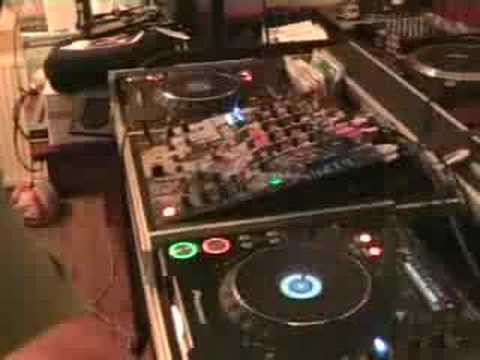
Alright folks, another tutorial for you on the wide feature on a DJ turntable. In the past couple of videos I just talked about the wide feature and really what it does, what it can do, mainly on a vinyl turntable. This time what we're going to do is concentrate more on a CD player but more importantly I'm going to show you how to do a mix. What we've got, we've got a house track here. The house track is roughly 130 BPM, that's at the centre position. And hip-hop track over here, which is at 73 BPM. Now what I've had to do is I've had to set this CD player so we've got the wide feature up and ready on the pitch control. So if I play the track... Now have a listen to what happens when I move the pitch to the minus position. It slows down quite a lot. Speed it up. OK, let's have a listen to the hip-hop track. What I'm going to do is, if you imagine I've got...
3:09 End of this track, so we'll
Let's say for example I'm doing a house set, chugging along at 130 BPM quite happily. All of a sudden I want to start to mix. Now this is the main thing, not drop a track in but I want to mix a hip hop track in. Well how can I do it? By using the wide feature you can mix in the hip hop track. Now what I'm going to do is I'm going to show you now, and again sadly you can only do this with some CD players. I'm going to make a note of the BPM at the top here so I'll pull, well no I won't pause the camera, just whang it like that, there we go. Right, if we have a look at the top at this area, hopefully it won't go blurred, that's at 132, just there. So the pitch is near enough dead centre. Let's play it.
2:05 Let's have a listen now and watch this as I reduce the speed
Let's have a listen now and watch this as I reduce the speed. 73. Now that's at 73 and the hip-hop track is at 73, so hopefully you'll get a general idea of what I'm going to be doing. So let's wang that one back up. Alright, so let's say we're playing our house set. Everything's happy, everything's hunky-dory, dance floor's jumping all over the place. We can do a couple of things to bring another track in. What I could do is I could just... Chop the track straight in. So, volume up on this side, volume up on that side, get ready with the cue button over here, get ready with the cue button over here and, or the play should I say, and something like that. Bang, straight over. But let's say, for argument's sake, I wanted to mix the track. I wanted to mix this in, that track sorry, with this.
Now what I'm going to do is I'm going to go to the end of this track, so we'll zip it forward. Now what I've got now, two volumes up here, crossfade is in the middle but it doesn't really matter. I can have, so the crossfade is disengaged as well. Now that hip-hop track is right at the beginning. Now I'm going to have a listen. I'm always going to remember timing in bars. I've got a note here and I've got to watch till I get to 73. I'm going to start to reduce it. Counting the bars. I'm at 73. Bam. Hot track. Now, what I can do now is I can continue playing the hip-hop tracks and then if I want to, I can do a couple of things. When I get to a hip-hop track whereby I think maybe I want to go back into house, of course you've got to think of the tone, the key of the track, but I've got to make sure that the one I lead out of, if I want to mix in the house track,
The DJ Tutor has either got quite a long outro enabling me to mix it in because what you've got to remember is the house track is quite fast. When you slow that down, the whole thing's going to slow down. A hip hop track when you speed that up is going to get a lot faster so the track itself is going to finish a lot quicker as opposed to this guy that's going to finish a lot slower. So what I can do then is I could... When I get to, let's say, the instrumental break or the end of the track where there's not much going on, I can make a loop. Then I can speed that loop up to match the BPM of this one. Bang, bing, boom, brr, boom! Bring this one straight in and then I'm back into the house set, whatever you want to call it. Alright, hope that's been a help. Practice and enjoy. Thank you.
This transcript was produced automatically from the audio of the video and may contain mistakes.








