 6:15
Interactive Beat Matching Tutorial Video 3
Contents of the video
0:00 Another interactive tutorial video for you
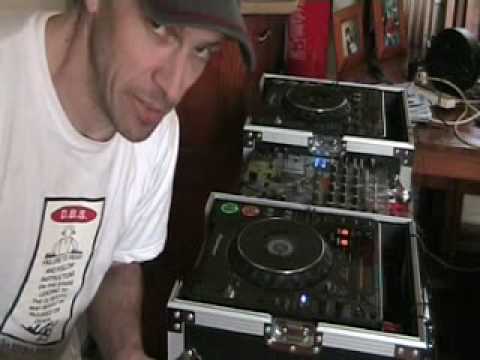
Alright folks, another interactive tutorial video for you. Now this is the third one I've done. In these videos basically what we're going to be doing is hopefully getting you to learn how to beatmix. They're interactive because you play a part. In other words, after me explaining what you need to do, you can mix with me. A couple of ways we can do this. One is once you've got that bar all the way to the end then you can rewind fast forward as much as you want. You can do a couple of things. One is you can have your monitor speakers, one either side of you, and then you can have your PC speakers next to those monitor speakers. So, in other words what you'll be doing is you'll be listening to me through the PC speakers and at the same time you will be able to listen to the music from your mixer through your monitor speakers. Alternatively what you can do if you go from the back of your PC, in other words from let's say the line out,
1:25 This every time, people will know
You go from the line out of your PC into the line in of your mixer. So that channel you'll turn up so you'll be able to hear me through from your mixer or from the PC through into your mixer, from your mixer into your monitor speakers. So channel one will be me, channel two will be the track that you will have to beatmix with my track. I'm just going to pause the camera because I want to show you a cable. Hold on. Right, here we go. Now if I show you this every time, people will know exactly what to use. You may need or you will need one of those. That's a mini jack that will go into the back of the PC and then these guys here, RCA's right and left, they will go into the back of your mixer. So in other words, once you've downloaded or you've got that little bar here, you're ready to rock and roll. So from your PC into the back of your mixer.
We reduce the speed of the track. Video number three, we're going to increase it. Now this is what I've done. I've got this set at the zero position. Up here, I've got the readout at 138 BPM. It may be slightly faster or slower. If you want to know the name of the track, follow the link in the description and you will get all relevant information. Okay, two steps. First step is I'm going to count one, two, three, four... On the second time I count number one, I want you to press play on your player and I want you to try and beatmatch your track. So in other words, press play, 1, 2, 3, 4, 1, I press play. I'll let the track play for maybe 30 or so seconds. In that time, I want you to get it beatmatched. Then I'm going to do exactly the same thing, 1, 2, 3, 4, 1, press play.
Let your track play along with mine, but then I'm going to increase the speed and then at a certain point I'm going to leave the pitch control alone. What you need to do is while I'm increasing the speed, you will need to increase the speed as well and then when I stop moving the pitch control, at that point you've got to try and beatmatch it again. Bit of a, sort of a tutorial, but in a sense it's almost like... This is the closest thing we'll ever get to having a sort of an interactive video tutorial. So, first one, 1, 2, 3, 4, 1, get your track matched up and again logically you'll have plenty of time because you'll be able to watch this again and again to find the right tune, make sure it matches in key and mess around and make sure you've got it beatmatched.
3:46 Second part
First, before we go to the second part. Okay, are you ready? One, two, three, four, one. Just a second, excuse me a second. Right, hold on. Right, sorry about that. Just had someone visit. Right, okay, second time around now. I'm going to play the track, let it play for a while and then I'm going to start to increase the pitch. Watch me while I move the pitch and hopefully you will be able to move it in time. It may go slightly off. But it doesn't matter, it's about you beatmatching with me. Right, and again, as follows, I'm going to hit this on the second count of one. One, two, three, four, one. The tempo on as well. Oh, the phone's gone. Alright, I hope that's been a help. Video number three, and it's a big shout out to Trevor for the tune.
Don't forget, follow the links in the description and that will take you to some information on his tunes. Practice and enjoy. Thank you.
This transcript was produced automatically from the audio of the video and may contain mistakes.








