 19:36
Pioneer DDJ-RB Setting up Pitch Slipmode Hot Cues and rekordbox CD Pool Club Febuary 2018
Contents of the video
0:00 In this video we're looking at the Pioneer DDJ-RB
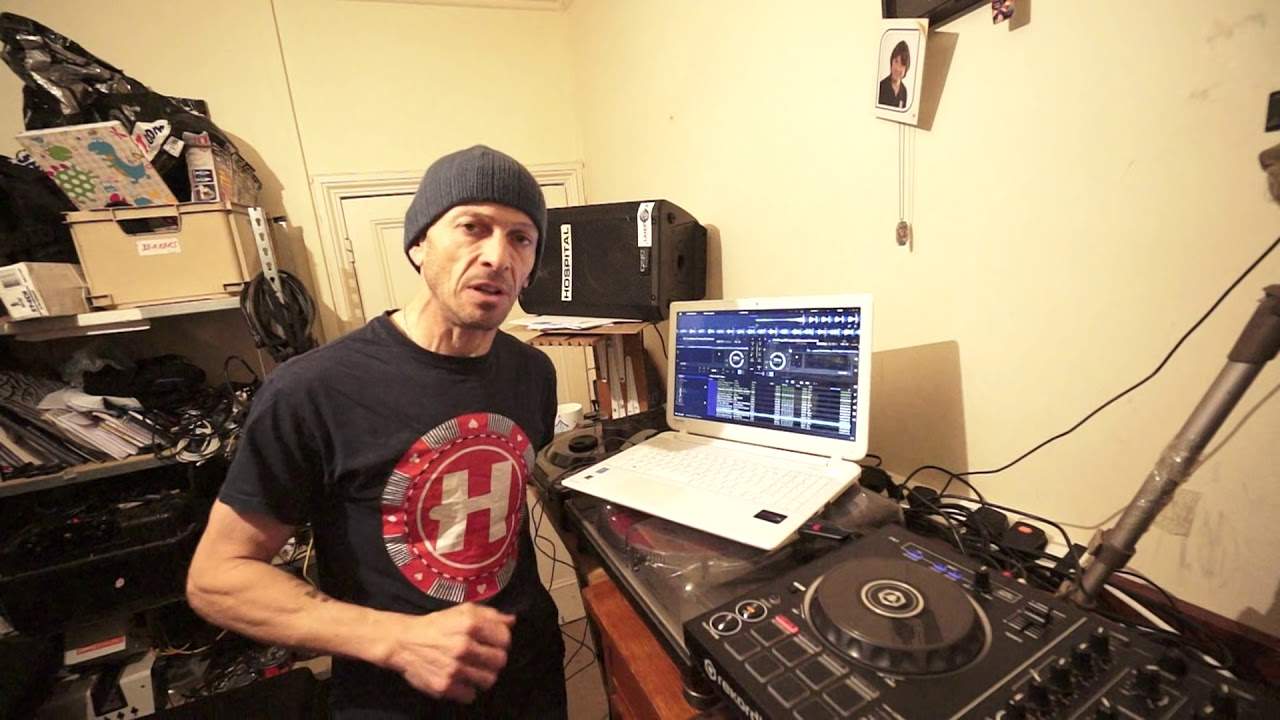
All right, in this video we're looking at the Pioneer DDJ-RB. We're looking at rekordbox software and I'm going to be playing a few tunes from CDPool February 2018 from the club series. There will be a link in the description down there. Now at the moment, the RB is one of Pioneer's entry level controllers and there are some people out there who may think that if you've bought the RB, you are... In that little niche market of the 18 year old lives in their bedroom, spotty face and has nothing else to do except go and play on a little controller like this. This little toy thing. Well let me put you in your place because A it's not a toy and B it works as a DJ system. So for example let's imagine you have got oodles of money and you go and buy all the Nexus stuff.
Well, does that make you a big DJ and a great DJ? No. It's the person. The person is the thing that makes you become a DJ. It's you. It's your knowledge and how you use the kit you've got. Because if we go back 30 odd years or even longer when it was two dodgy turntables with belt drives, people still could mix. People still were able to DJ because they were clever at what they did. It's about you. Right, let's just put a track on. We've got this one here, Do You Care, Philip George Remix. Now, again, like I said, there will be information in the description on CDPool. So, the DJJ-RB. Let's have a look, first of all, at something very important, close to a lot of DJs' hearts, which is the pitch control.
2:14 There's your BPM, which are the numbers highlighted in white
We need to be able to slow or speed up the track. Now again, this video is information that will hopefully help you not only maybe on the RB but also maybe another controller that you're having issues with because you're thinking well how come one of the pitches is doing something and the other one isn't doing the same? And you could be racking your brains and then hopefully I will help even if I have one person to go my god! Genius, that's amazing. Right, that's what I want. Okay, so let's have a look at the software. Let's get a little bit closer. And in the two virtual circles, the two virtual turntables, there are three groups of numbers. There's your BPM, which are the numbers highlighted in white. Below there then we've got like a small percentage. And again, I know this is very difficult for you to see,
But I'm going to point and explain, so hopefully my explanation will be good enough. We've got 0.0 and then a percentage, or I have at the moment on there, it could be 1.3% or 4.8%, I will explain in a bit. And then we also have there, I've got in green plus or minus 6%. Now very quickly, the big number in white, that is your BPM of the track. So that will tell you the BPM of the track based on where the pitch is at that given time. Again, that's very important because if the pitch is all the way to the minus position, that BPM will change even if you've got the same track on the other side and the pitch is in the centre. So you're thinking, well how come I've got the same track but they're different BPM? That's because your pitches on your controller may be at different positions. Very important. Right.
5:05 Why are these numbers important?
So I've got plus six on that. Now, why is that important? Well, if you're a new DJ and you do have the RB and the actual pitch slider is quite small, you will need a lower number to be able to mix, let's say, a lot smoother than people who've got the CDJs or something with a pitch that's slightly bigger. So why is that? is there for a reason now let's imagine we've got a track that is 100 bpm all right so our track is 100 bpm and what that means is that if i now move this pitch here all the way to the minus position from the center point so the center point it's at 100 bpm if i now move it away to the Now, if we go to 10... You can then slow it down to 90, speed it up to 110 or 16, 84 and of course 116. And then wide, oh stop it. You can pretty much, you can, not pretty much, you can stop the track or you make it go to 200 BPM. So why are these numbers important? Why are they vital to your smooth transition? Why will they make you become a bloody good DJ or look like a prat? I'll tell you, I'll explain.
So, when you're at 6%, you're able to form a smoother mix because from the centre to the plus, you've got 6% of movement. You're able to slow the track down or speed it up depending on slow or speed up by only 6%. But when you go to 10, every movement you make on that pitch Thank you for watching. Stick to about 6. Now also very important as well, to make sure they're both the same. Because, like I said earlier, you may find that one of the pitches just doesn't seem to be working like the other one. I mean it's a controller, you know, it should be a mirror image but how come one side isn't working like the other? It will be because the one may be at 16, the other one's at 10 or one's at 6 and one's at 8. So make sure those numbers are the same.
7:01 Again I pretty much covered those three numbers in the center of the c
Alright, so again I pretty much covered those three numbers in the center of the circle. Your BPM, the percentage that you are speeding or slowing the track up or down and the percentage that your pitch control is set. So again make sure especially if you're a beginner DJ or especially as well if you've got a controller like this with a small pitch that you're at a low number. So let's just Tell you what we'll do, we'll grab, there we are, retone a track entitled Deeper. So I'm going to load that track up and away we go. Alright, so just play these tracks randomly now so you get an idea of the tracks as well. Okay, now again with a lot of the high-end kit from Pioneer, you've got what's known as slip mode. And on a lot of the high-end CD players you've got a button slip mode away you go.
But, guess what? RB, you have got slip mode. If, of course, you're using the rekordbox software. So I'm going to click now on the icon, slip. OK, right, so that's engaged now. Now, there's nothing here showing me on the controller that I've engaged slip mode. Sorry, but there is... Sorry, just hit the laptop. Sorry, laptop. But there is on the laptop. OK. Right, so, but check this out. Now, if I put my fingers now on the platter and stop it, the track's still playing. So, in other words, if I now... I'll just bring the volume down. So let's imagine I have stopped, physically stopped the track, put my hand on the top of the platter. Now, if slip mode is not engaged, I would have stopped the track and that's it. It would just stop.
Take my hand off and it would start again. So for example, and a good way of explaining it, let's imagine we're counting 1, 2, 3, 4, 5 up to 10. I stop the turntable at 2 and then I take my hand off. It will carry on from number 2 onwards. On the other hand with slip mode engaged, let's say I stop it at 2 and we can still hear in the background 3, 4, 5. Take my hand off, then it will carry on from 5, 6, 7, 8, 9, 10. So in other words, it never loses its timing. So this is a great way of adding a sort of effect to the mix. And also, if you don't really want to do a spin back because you know you spin back and it'll be out of time, it won't be in slip mode. I'll show you. See again, you know, I mean, this is a very, very cheap controller. Yeah, we're already doing effects. Bit of filter there as well.
9:58 Of course what happened there, I'm on hot cue mode
Okay, let's get rid of that hot cue. So of course what happened there, I'm on hot cue mode. I pressed one of the pads. Now I can press that again and we go back to that hot cue. But because we've got slip mode engaged, of course as soon as I take my finger off the hot cue, the track snaps back to where it should be. To get rid of that hot cue, press shift, press down on that pad that I set the hot cue to, take my finger off. And now, I have now taken away that hot cue. Okay, let's find something else. This one here, Go Bang. Three, two, one. This one here, Go Bang, the Casey Lights Extended Remix. Okay, let's just zip it forward a bit to the break. Okay, I'm going to put on the other side, Do You Know?
12:05 Their website, all you've got
It's called Do You Know, I beg your pardon. So again, very quickly as well with the CD Pool, if you go to their website, all you've got to do is go to February Club 2018 and then you'll hear these tracks that I'm playing in little soundbites as well as all the other tracks. Now very quickly as well with CD Pool, you do have to be a DJ. And you have to be living, residing in Europe. So sadly this CD pool is not for the States. You do have your own CD pools. Now very quickly as well, I do still give one-to-one DJ lessons and I give those through the medium of either Skype or private Facebook. Now very quickly as well, this is really important. Every single lesson I give is strictly confidential. I don't give any emails away, any names. I don't talk about other people. That's it. It is me and you in front of some kit and teaching you how to DJ. Now we can either use controllers like this, we can use CDJs, we can use vinyl turntables. I can give you help with all manner of DJ skills on practically every single style of music.
You can book one lesson if you want to, or if you want to you can book a block of five lessons and take those lessons at any time you want within about sort of four months. I teach from 8 o'clock in the morning UK GMT to late at night and also some weekends so there's going to be some time when we can fit in a lesson. And let's imagine you're all set up, you're all good to go and within five minutes you're going to have a lesson and you get a phone call you can't take the lesson. Don't worry about it. Even if you don't message me, if I'm online and I don't see you there, then I'll just class it as you couldn't make it. And that time is never taken away. So I don't like if you book five lessons and you miss one, that's it, you've got four left. All we do is we just rebook because shit happens, alright? I understand that, alright? So don't worry about it. The fees are paid via PayPal.
14:41 It's a great way of having a two-way conversation and learning how to
Thank you for watching. See you next time. So it's a great way of having a two-way conversation and learning how to mix. I can listen to what you're doing and hopefully help you and make sure you're doing the right thing. In fact, so far I've never had any complaints. Alright, so let's go back to the RB and let's play another couple of tunes. So again what I'm going to do now is use the top dial in the centre of the RB. Now that will pretty much scroll through The DJ Tutor allows you to play your tracks on the right hand side of your keyboard. It's Martin Garrix, a track entitled So Far Away. I'm not going to play much of this because I always have issues with playing Martin Garrix over the web. A nice kind of dubby tune there. If you do want to hear a bit more of Mr Martin Garrix then probably the best thing to do is go to the CDpool website and check it out there. This one here, no in fact let's choose a different one. I'm going to go to a track entitled Breathe.
Alright, something else that is quite important that may help you. Again, now let's imagine you've just got your RB through the post and you plug it in and it's not working. And you've got the software and they're just not working. They're not sort of connecting up. Now there could be a lot of reasons for this but the most important ones that you need to check first is check that you have installed or you have the driver from the controller in your laptop. You need to make sure that the firmware is the latest firmware in the controller. Because put it another way, maybe that controller that you bought was made a year and a half ago and it sat in the box for a year and a half. Now in between that time and now all companies or most companies would have like gone well there was a little bit of a glitch here and there let's update the firmware. So of course when you open that box it's got the all firmware
17:35 Pioneer website and just have
And then when you plug your controller in to the laptop that say got the latest software, they may not talk to each other. So you always need to make sure that everything is the latest versions of, alright? So again what you can do is go to PioneerDJ.com and then go to the firmware page and software or firmware I beg your pardon, I'm slightly ignorant there. Slightly high, I'm just ignorant, don't care. No, I'm not really. Sometimes. Right. Sorry. Different hat. Alright, so, just go to the Pioneer website and just have a look at the latest firmware. Now, you'll always know it's the latest because it will give you the date next to that firmware or software saying the latest update was here. And of course, if you just open your controller and...
By all accounts, it's been in a box for a year or six months. Then maybe you need to update the firmware. Okay, so here we go. Breathe, this is Jack's Jones, spelled with a J-A-X. Alright, so again, let's go back to this controller. Is it cheap and cheerful? Yes and no. It is cheap, but it's not cheerful. You can still... DJ with this controller. Okay, now at the back again you have, right it's probably difficult to do this, let me just unplug that because that's my headphones. On the back it is bus powered, you've got a lock there so if ever you see that little K-lock that just means that you combine appliance that you can put into this and just lock it in place. USB in, master out and your microphone volume with your level volume there. Okay? So again it does have a lot of basic features but you still can be a DJ on this and like I said earlier which is the most important part I think about this video, it's not about the kit you use, it's about the person you are. Go and check out CDPool and again if you need some advice, some very good advice and some private tuition by myself Jonathan Ellaskins, The DJ Tutor then get in touch. Practice.
Thank you very much.
This transcript was produced automatically from the audio of the video and may contain mistakes.








