 14:18
Youtube DJ 1 2 1 DJ Mixing Lesson on Phrasing and Beat Matching
Contents of the video
0:00 This video is about helping you to beatmatch
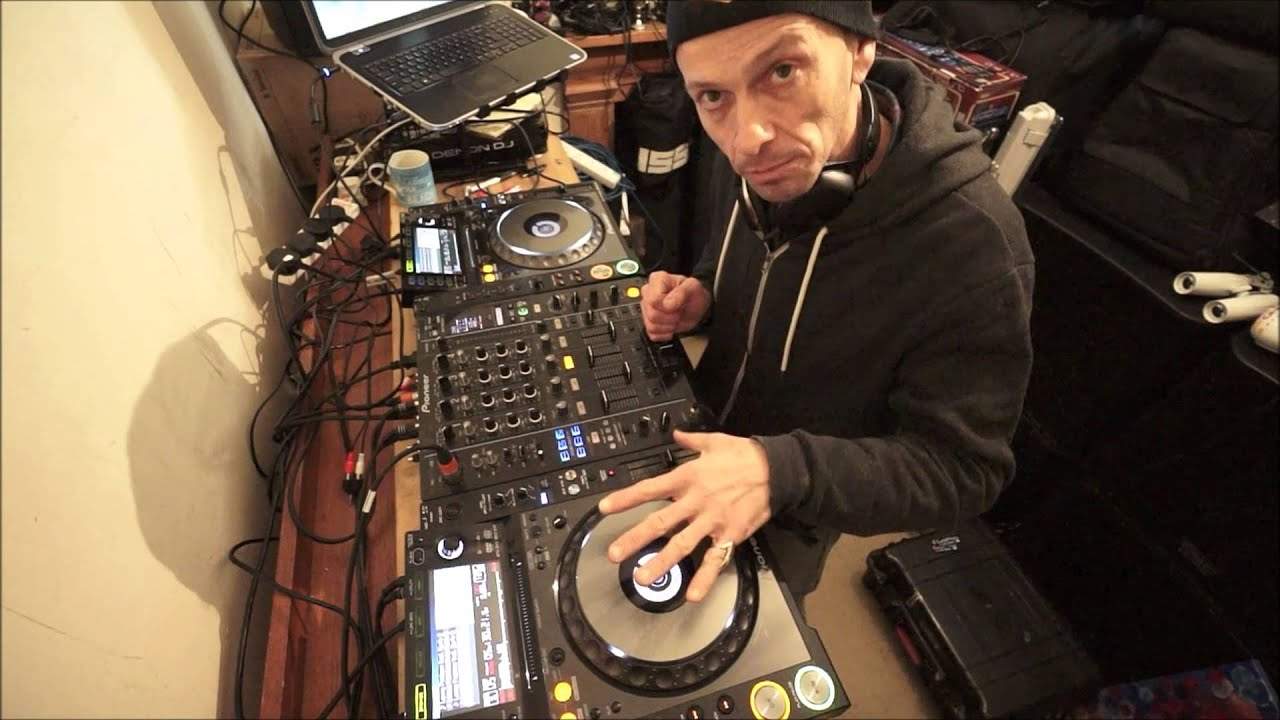
Alright guys, this video is a demonstration, also it's a tutorial where you're going to be involved. Now, this is the genius. Now I did a video similar to this many, many years ago, but now it's time to update it. This is where you can play a part, not only in my video, but you can also play a part in actually working with me. This video is about helping you to beatmatch. The video is in two parts. This is part one, where we have the explanation. Part two is where we not only have the demonstration, but you are part of the demonstration. You will play a part in the mix. Now, if you want to, you can just always listen to the audio via this video that you're watching. Alternatively, you can even play a bigger part and download the track.
Now, the track I'm using is by Carla Brown. It's a track entitled, I'm Going to Get You. It's featuring Carla Brown by Lenny Fontana and there will be a link in the description down there now where you can download this track. So, what will you need? Now, if you have not got a mixer like this where you can plug in, and this is the important part, where you can plug in an external sound source. For example, on your controller, you may have... If you have a line in, if you have brilliant, if you haven't, it doesn't matter. All you need to do is use the audio from the track. Sorry, the audio from this video, but ideally in an ideal world, you download the track and then what you do is you get one of these little suckers here. This is a mini jack. Now, this is a mini jack to RCA.
So, what you need to do, if you think about it now... Now, you will plug in this into your laptop. So, what will happen is the second part of the video, you will be plugging that in to the laptop and then the other part, which is the other side of the RCA, into your mixer. Now, you only really need a two-channel mixer because one side, you will be playing the track on the other side of the mixer. You will be listening to the second part of this video, which will be the same track that you'll be playing. Now, this is about beginning and end mixing. Very simply, we're going to be using the Lenny Fontana track. I'm going to get you. I'm using the classic Club Vocal mix, which is five minutes... Sorry, five minutes and 30 seconds long.
Okay.
2:53 I'm going to be setting this track at one minute and eight seconds
Also, take this on board. I'm going to be setting this track at one minute and eight seconds. Now, this is pretty much the last section of the track. And this is where you need to start your track at the beginning of the track. So, what's happening? Why are we doing this? Now, if I just zip this track a little bit further back... ... ... ... ... ... ... ... ... ... ... ... ... ... ... ... ... ... ... ... ... ... ... ... ... ... ... ... ... ... ... ... ... ... ... ... ... ... ... ... ... ... Have a listen.
3:51 Very quickly this is what will
And there. At that point, at one minute and eight seconds, we get to the last phrasing of this track. Now, what I'm going to do now is on the other side, I'm going to play exactly the same track, but from the beginning. Now, this is what you will be doing later on in this tutorial. you'll be starting the same track at the beginning at that point in this track the same track here while I'm playing it so if I zip back for example I'll just show you very quickly this is what will be happening later on in this video we're playing this track there that's where you will start your track okay that you've downloaded and you will be now or sorry you'll be later on having the volume up on my video through your mixer you'll have this track here that
You've got on your player as soon as we get to one minute and eight later on in this video when we have proper audio you will start to mix your track in so I'll give you a demonstration of how to do that first so we'll go back now what I will do I will make sure that the track that's playing later on in the video will be at its normal original speed bassline still playing on the lead-out there bassline finished and the bassline starts on the track that's coming in so the objective the first objective is to start the track at the beginning of the first beat and then it's either the bassline or the bass line when you're playing on your track now I will leave that to theops i'll just kind of show the video here where
It's really supportive in the video later on is for you to make sure that when the bass line finishes on the track that's leading out which I'm playing the bass line will start on the same track that you're playing so there's no gaps bassline finishes on my track bassline starts on your track now I will the correct speed that it was made when it was produced. In other words, it should be at, let me just get that perfectly, 125 BPM. Now if you're a little bit concerned, you can press tempo reset. What that means is no matter where it is, it will stay at the same speed. Now that's the first objective, to make sure that as soon as the bass line finishes on one, the bass line starts on the other. Of course, you still sort of have to beat match it.
7:14 Later on what's supposed to be
Even though yours will be at the original speed, you've got to maybe pitch it up, pitch it down, to make sure it's in time. Now what I will do is as soon as the bass line finishes on my track, I'm going to put my finger up like this. Alright, not the rude one, I'm going to put my finger up. So what that means is as soon as you see my finger come up, you should be able to hear the bass line come in on your track. I will then slowly bring the volume down, on the mixer, which means you'll have no audio. So at that point, even though you've got the two channels up, the audio will disappear. But you will have your audio set on your channel. Alright? So again, I will explain later on what's supposed to be happening,
But hopefully you'll get it. Now, the next part of the video will be in two parts. The first part will be, the pitch will be, set to the centre point. Your pitch will be set to the centre point, the original speed of the track, 125 BPM. The next part of the video is slightly more interesting because I'm going to start to speed this pitch up. So the objective there is a lot more difficult. You're going to have to try and keep it in time. I'm going to start moving the pitch up. I'm going to go from 125 to 120. So I'm going to go from 120 to 127 BPM. And I'm going to leave it at 127. So not only have you got to bring it in at the right time, you've got to speed it up as well and try and keep it in time. Now, I hope this is going to be a help.
10:14 I'm going to do exactly the same thing this time
Alright? I'm now going to stop the camera and I'm going to start it again with the audio in. I am going to go a little bit further back and I'll put my finger up at that point when you start your mix. Now again, if you don't get it in the first time, don't worry. All you've got to do is look on YouTube at the time and work out the time, the exact time in this video where you should bring in your track. Don't forget the objective here is to make sure that as soon as the baseline finishes on my track here, the baseline will start on yours. Okay? So I'm going to pause the camera now and plug the audio in. Okay, by now you should have the baseline coming. Okay?
11:59 I'll turn the microphone off now
Okay, we're going to do that again this time. I'm going to actually say baseline in now. So when I say baseline in now, the baseline of my track would have gone disappeared, stopped and the baseline in your track should come in. So as soon as I say baseline in now, that means your baseline should be in at that exact point. So off we go again. One and okay, right. I'm going to do exactly the same thing this time. What I'm going to do is as soon as we get to the point where you start your track, I'm going to speed mine up to 127 BPM. So I would say in the first three or four bars, the track will still be at 125 BPM. But after that time, I'm going to start to speed mine up too. You can see when my hands are, I'm going to speed,
My track up to 127. So what you're going to have to do is do exactly the same thing. So as soon as you start to see me move my pitch, that's exactly the same time that the track itself you're listening to will speed up and then you need excuse me, you need to state speed that your track up to 127. Okay, so let's do this again. Off we go. I'll turn the microphone off now.
Okay, there you go. Right? Big shout out. Thank you very much. Mr Lenny Fontana Carla Brown as well tracking title. Um, I'm going to get you. So don't forget, check it out. There's I've got a link now on the on my laptop here. I'll put that link on where there's loads of places where you can download that track. There will be more videos like this that do involve you. It's all about getting those beats synced in perfectly. I'll finish off with practice and enjoy. Thank you very much.
This transcript was produced automatically from the audio of the video and may contain mistakes.








