 2:08
Speeding up and slowing down a track
On YouTube this video is called Complete Beginner DJ Lessons Video 4 Speeding up and Slowing Down a Track How It's Done
What this lesson teaches
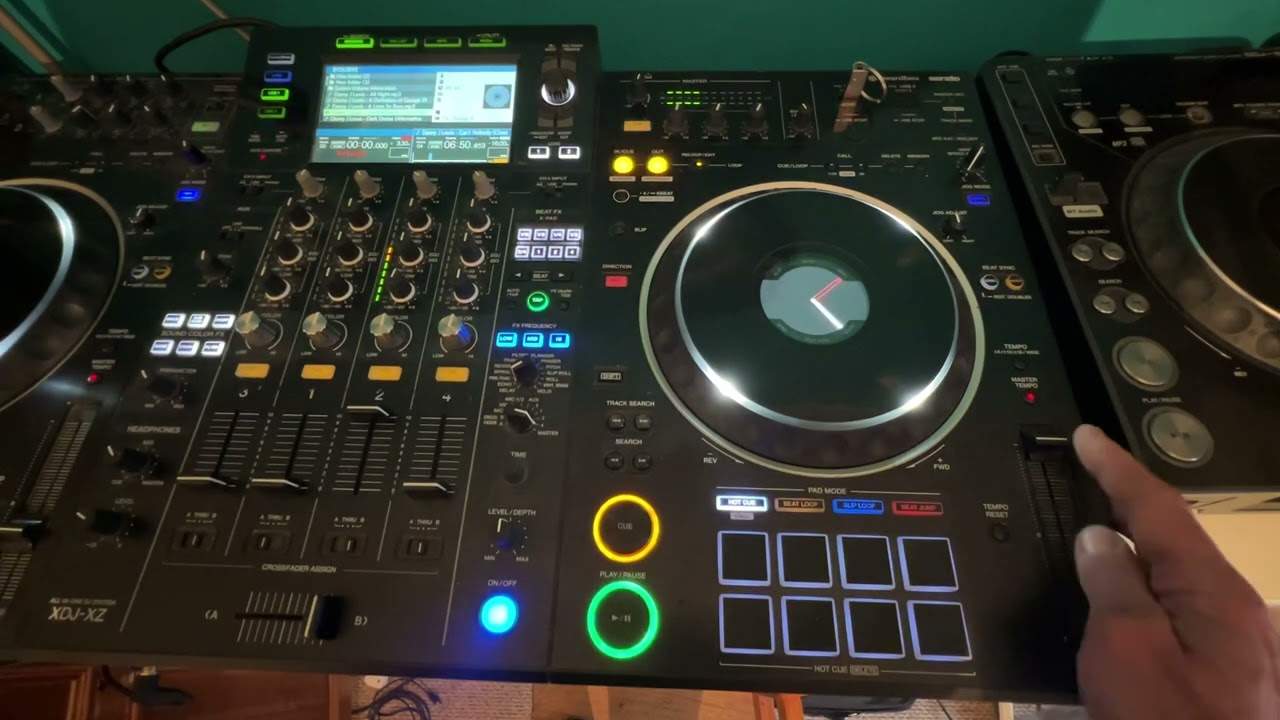
A two-minute lesson doing one thing, and doing it well: he plays a plain loop so there is no melody or arrangement to pay attention to, and moves the pitch fader while you listen.
What it does
The pitch control changes the speed of the track.
On the controller he is using, pushing the fader away slows it down and pulling it towards him speeds it up. He repeats it twice and invites you to rewind if you missed it, which is the right instinct for something this fundamental.
Check which way yours goes
One thing worth adding: the direction is a convention, not a law, and it is not the same on every machine. Some manufacturers put the plus at the top of the fader and some at the bottom.
It is a two-second thing to establish on your own equipment and an irritating thing to get wrong in the middle of a mix, when your hand moves before your brain does. Find out now, and notice where the markings are.
Why this is the control everything rests on
It is worth knowing where this lesson is going, because on its own it looks trivial.
Two records almost never share a tempo. Beatmatching is the business of changing one until it does, and the pitch fader is the only control that changes a track's rate rather than its position. Everything in the next several lessons - BPM, bars, phrases - exists to tell you how far to move it and in which direction.
So spend a few minutes here. Move it in small amounts and listen to how little it takes to hear a difference.
Contents of the video
Right, ladies and gentlemen, video number four for the complete, total and utter novice. In this video, what we're going to do is look at the pitch control and how it can change the music. So just to let you know, I'm just playing a loop, which is a basic beat. If you have a listen to that, nothing special, just a loop and we'll cover loops in the future. Right, to the right hand side now where I have my fingers, we have what's known as the pitch control. This can increase and decrease the actual speed of the track. So just take a listen when I move the pitch away from me, bring it back towards me, where it was to begin with, and now all the way as far as it will go towards me.
Cue it up. Did you notice anything there at all? If you didn't, rewind. Have another listen. If you did, which I'm sure you did, you should have noticed that when I moved the pitch away from me, the track indeed started to slow down. When I brought it towards me, the track started to speed up again. And then when I brought the pitch all the way as far as it will go towards me, it went faster again. Let's just repeat that. There you go. So basically what's happening is by... Moving this, that's known as the pitch control, you're able to increase or decrease the speed of the track.
Away from you, you slow it down. Towards you, you speed it up. Thanks for watching. This is video number four for The Complete and Utter Novice. Thanks a lot.
This transcript was produced automatically from the audio of the video and may contain mistakes.








