 7:07
Beat mixing explained again, from scratch
On YouTube this video is called Tutorial/ explenation, on how to beat mix for the new DJ.
What this lesson teaches
This covers the same panned same-track exercise, but it adds one idea that is genuinely easy to miss and very useful once you have it.
Position debt
Suppose you have the two tracks matched, then drop one deck's pitch for a second and put it straight back where it was.
The tempo is restored - but the mix is not. During that second the track was running slow, and in that second it lost ground. Returning the fader stops it losing any more, but it does nothing about the distance already given away. The track is now permanently behind by whatever it lost.
To get it back you have to do the opposite for a comparable length of time: raise the pitch above the matched setting, let it reclaim the lost ground, then return. Dropping the pitch for a second costs you a second of catching up later.
This is the explanation for the most frustrating thing in early beatmatching - you fix the speed, it is definitely the right speed, and the mix still will not line up. The speed was never the remaining problem. The position was.
The sound moves before it settles
In the panned setup the correction is audible as movement. If the sound has drifted to the left, that deck is ahead; speed the other one up and you hear the image travel back across. Overdo it and it sails past to the other side.
Treat the drift as a direction, not a verdict. You are steering, and like steering you correct towards the middle and then take the correction off before you arrive.
A limitation worth knowing
He makes a point about the pitch display that is worth absorbing early. The readout moves in steps - 3.4, 3.5 - and at the resolution these decks show, a single step can be more adjustment than you want. He says he would like hundredths.
The practical consequence is that there is a point beyond which the numbers cannot help you, and beyond it you are working by ear and by jog wheel regardless of what the display says. Another reason not to mix by reading.
Choosing the right track to practise on
Pick something with a long intro of nothing but drums.
Vocals and basslines make timing errors harder to hear, not easier - there is simply more going on to mask the gap between two kicks. A bare intro gives your ear one thing to compare, which is what you want while the skill is forming.
And deliberately knock it out, repeatedly. The value in this exercise is not holding a mix that was handed to you already matched; it is in breaking it and recovering, so that hearing the error and knowing which way to correct becomes automatic.
Contents of the video
0:00 A lot of people have been saying I can't beatmatch to save my life
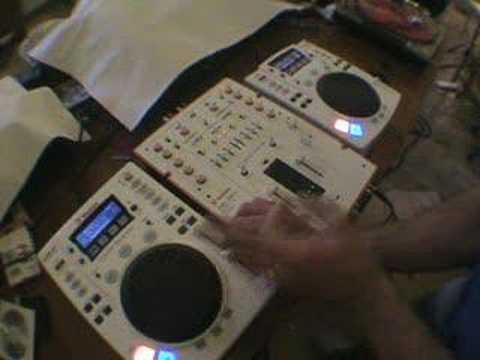
Alright folks, now then, this video what we're doing is looking at how to beatmatch. A lot of people have been saying I can't beatmatch to save my life. Now hopefully with this tutorial I'll explain how to. It's quite similar to a video I did a while ago with regards to having the same song in two separate CD players and utilising the balance control. So just to let you know exactly what I'm doing here. It's a shame we can't get stereo through here because you'd be able to physically hear what I'm actually playing. I have the right CDJ through the right channel and I have the balance on the right side. I have this CDJ, the left CDJ, through the left channel and the balance on the left side. Now then, what you want to listen for and what you will hear is when they're offbeat, you'll hear almost like an echo, a juddery sound, okay? Now then, what will happen is as you move the pitch control up and down...
And you're fine-tuning the pitch. You will hear the sound go from the center, or maybe not from the center initially, but you'll hear the sound, almost this echoey sound, travel from either speaker. It's traveling like so until eventually it will get to the center. When it is in the center, that is the point at which you've got it perfectly beatmatched. That is the sound you're trying to get. Now then, the whole object of this particular tutorial... is to explain to you that's fine, once you've got it in the centre, brilliant. But, knock it off centre a little bit, so, and how you do that is move the pitch down a tiny bit, then bring it back up. Now even though, even though you've brought it back up, because you've knocked it down, you've slowed this one down, and then brought it back up to speed, it will still be behind speed because you've slowed it down. So the way to get it back up to speed is to speed it back up and slow it down. So theoretically, if you think about it logically,
2:23 This is what they sound like first
If you move that pitch control down one notch for one second, brought it back up, you would in essence have to bring the pitch up, up one notch for one second, put it back down. So theoretically then it should be in the same position. Now also using tracks like this, using the same track in two CDJs, you can actually or to exactly the same vinyl, pieces of vinyl on two separate turntables, you can almost do your own remix. Right, so what I'm going to do now, I'm going to start these off at the same time and I'll talk you through exactly what I'm doing. So this is what they sound like first. That's the one, this is the other. Okay, just to let you know as well, the actual track I'm using, it's entitled You're Just the Right Size. It's the South Soul Orchestra and it's Mo Maurice's Club Remix by Maurice Joshua.
And it was released around about the early 90s. So first of all, what we're going to do, we're going to start them off at the same time. Now at the moment I can hear a very slight echo. It's not coming dead centre. So, move this one down. I can actually hear the sound has gone to that side. So I need to speed it up to bring it back. It's coming into the centre. It's gone slightly over that side. So, down a bit, and again it's moved over there a little bit. See, I'm going to pause it. Now then, I don't know if you can see, but the actual pitch adjustment here, you can see if I take this off like so, and if I just zoom across, now then, you can see there the pitch moving as in 3.4 etc. But, this isn't accurate. Now, I'm not saying it's because these actual CDJs aren't accurate.
But let's be honest, when you're fine-tuning that pitch control, ideally we could do with 0.001, 0.002, 0.003, 0.004, etc. Because I personally don't think 0.0 is enough. OK? Right, we'll just put that back on a second and we'll wang it over like that again. Right, now what I'm going to do now is I'm going to have them completely offbeat, OK? So we'll start them totally off. Now because I started that one second, I know I've got to speed that one up. So of course, if I have to speed it up, move the pitch control towards me, but don't leave it there because it'll just continue going too fast. So as soon as it's caught up, I need to then slow it back down and because I know it's exactly the same song, just put it in exactly the same position it was when it started. So watch. Bring it up. Just get in there. Get in there.
5:36 Near enough in the same position
Let's get in there. Getting there. There. We're sort of there. A bit too much. Now I can almost hear a phasing effect. Now if I put the two balances in the centre, we can get phasing, which is of course, because we've got the same sounds and they're both exactly in the same position, they're cancelling each other out. That's why you get phasing. There we go. We've got that phasing effect. Do it again. Now I'm going to slow this one down now. Alright, all over the place. Now again I've slowed it down. It's echoing. So bring it back up. Near enough in the same position. Now utilising this sort of idea, the same song and just spending a little bit of time, when I say a little bit of time, perhaps even a lot of time, messing around is a good way of practising to beatmatch. Start it off again. Now again, if let's say a lot of people they get...
Confused when vocals and melody and bassline come in? Try and find a song that has got a long introduction, just the beats. Like this. And then mess around. You know, mess around, make it go off beat because then you need to bring it back into beat. There you go. So, just give it a go. I hope this has been a bit of a help but don't forget, mess around with the pitch control and remember that sound. Try it and you will see exactly where I'm coming from. The sound will go from one speaker to zoom to the other, it'll move. It's almost going from left to right and you need to fine tune it till it gets to dead center and then you know you've got it in beat. I hope this has been a help. Practice and enjoy and thanks for watching.
This transcript was produced automatically from the audio of the video and may contain mistakes.








